

Our AI framework made all developers 30-40% faster
Get it for free from GitHub.

This is “Effective Delivery” — a bi-weekly newsletter from The Software House about improving software delivery through smarter IT team organization.
It was created by our senior technologists who’ve seen how strategic team management raises delivery performance by 20-40%.
TL;DR
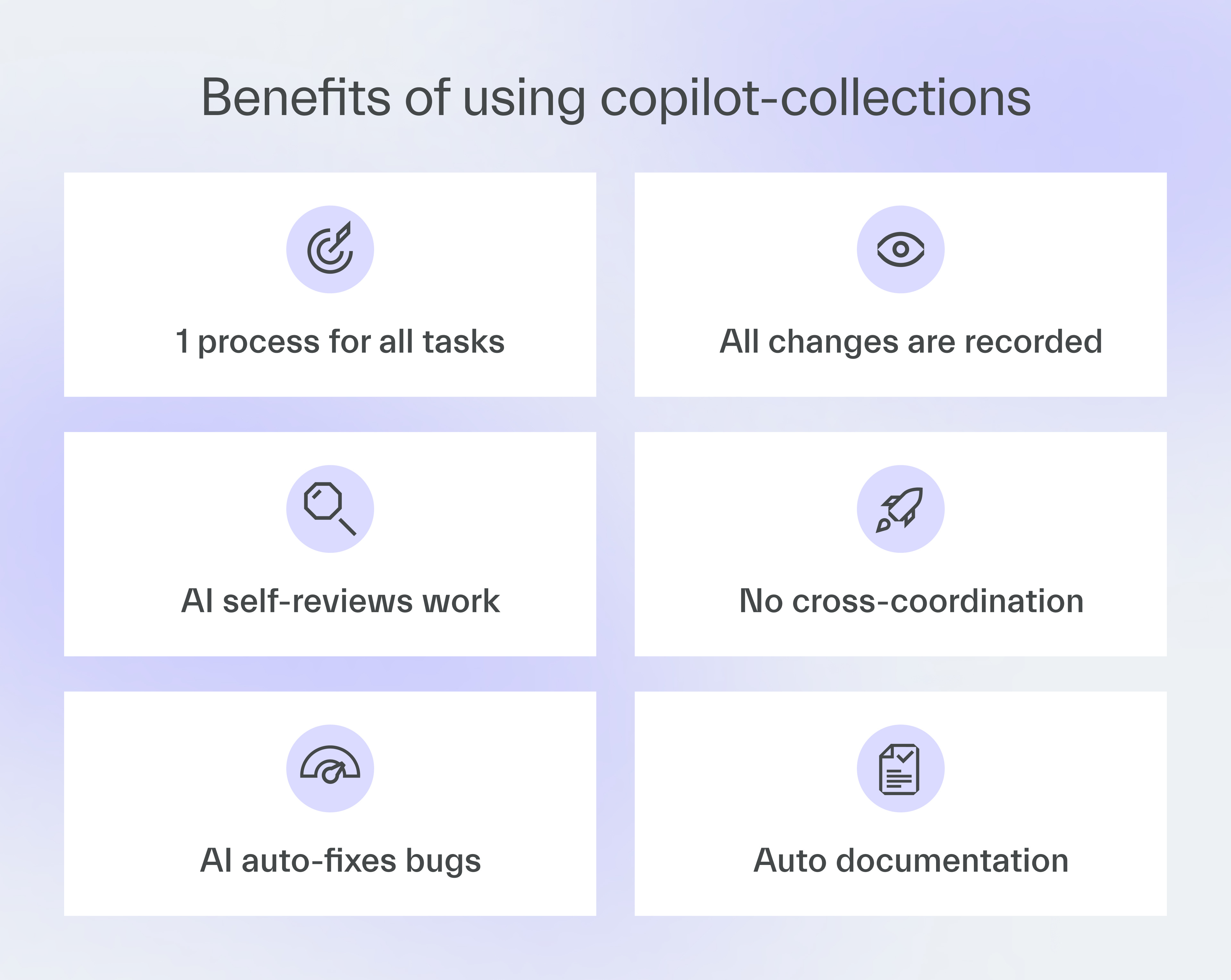
Our AI-driven development framework introduced a single flow for all engineers,
It’s called copilot-collections, and it’s used by 220+ developers,
Developers using the framework became 30-40% more productive,
You can use copilot-collections to deliver features days faster.
Contents
2. copilot-collections under the hood
3. How to use copilot-collections
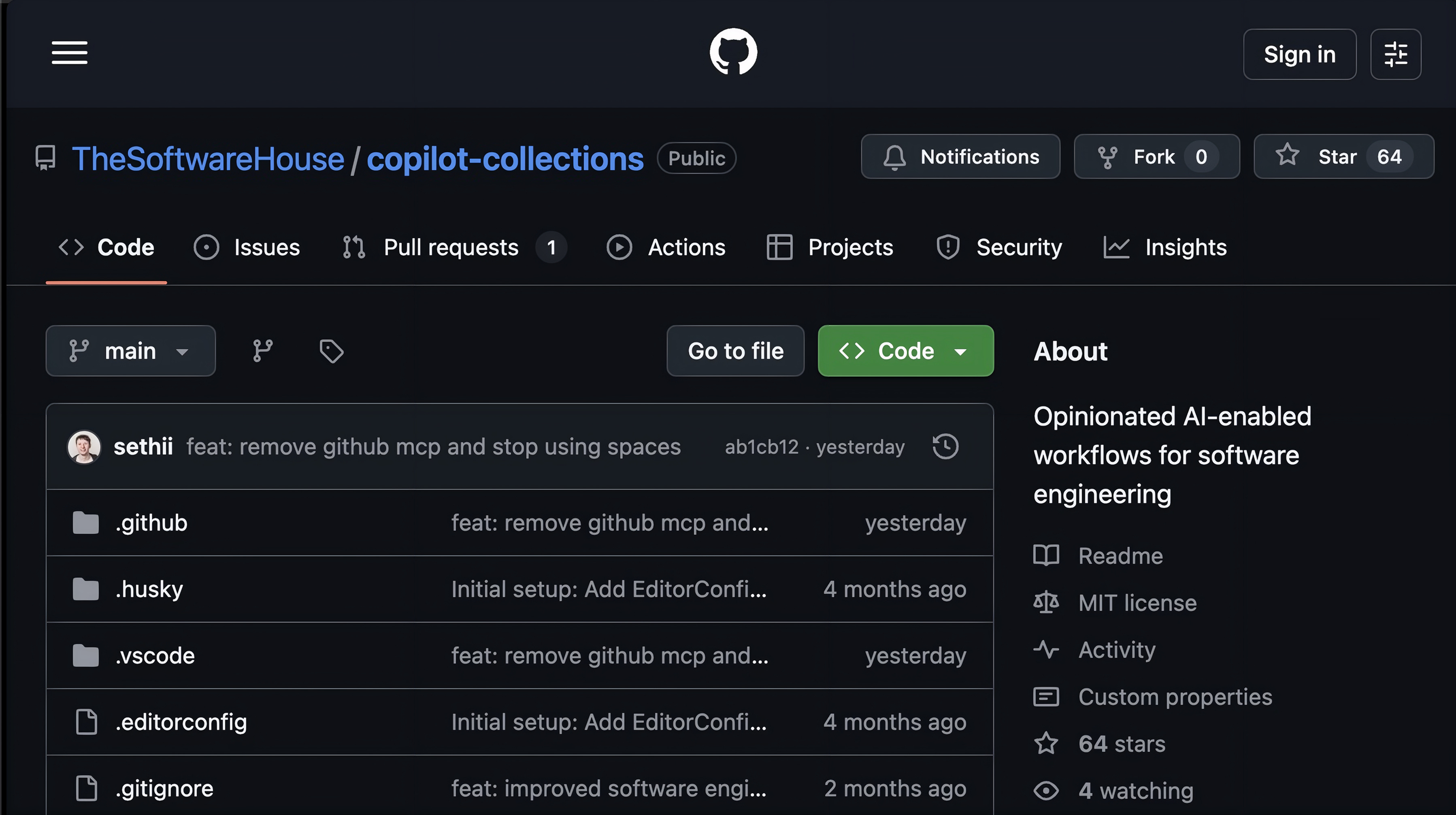
4. Get the repo
Hello! Adam here.
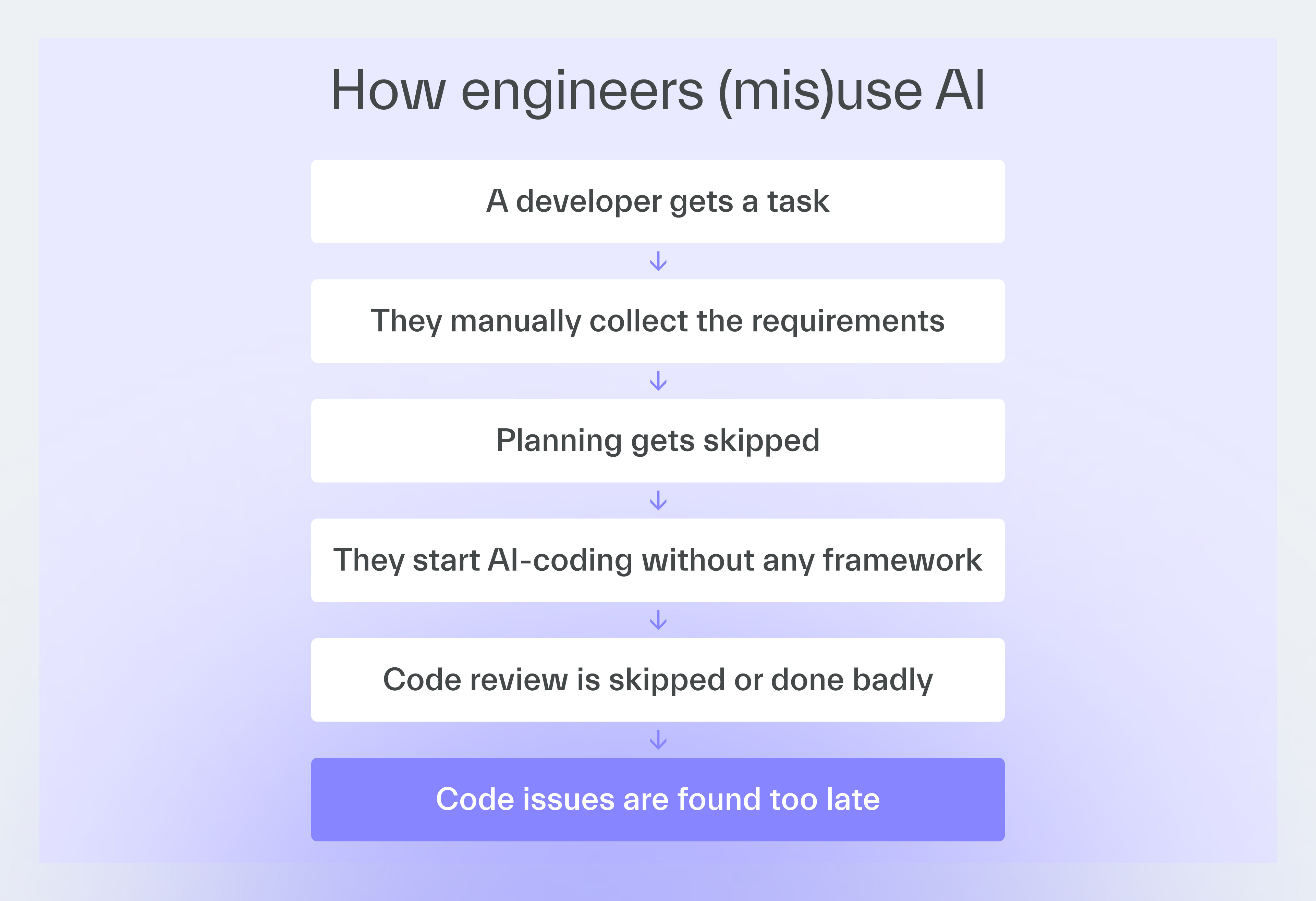
Many IT departments gave developers AI coding tools, but saw no productivity gains.
From what I’ve noticed, 90% of teams fail to use AI effectively.
I believe one of the main reasons is that, when given total freedom, each engineer uses AI in their own way.
As a result, every one of them gets a different productivity boost.
Together with 11 engineers, I built copilot-collections to introduce a consistent AI workflow that everyone can use to achieve a baseline increase in efficiency.
Why we built this
Most companies give developers an AI tool and say, “Use it”.
Some engineers use AI efficiently, like a coding partner, while others treat it just like a search engine.
Many developers end up using different coding configurations for AI or even different models of it.
Inconsistent productivity is the result.
AI champions improve efficiency even 200%,
Frontline developers see little to no gain,
Knowledge stays with the power users.
copilot-collections is an AI-driven development framework that levels out the gains by providing a standardized workflow.
In my organization, it provided an average productivity boost of 30-40% for developers who used it compared to when they didn’t.
copilot-collections under the hood
copilot-collections, which we’re now sharing for free, is a virtual delivery team that mirrors how we deliver at The Software House.
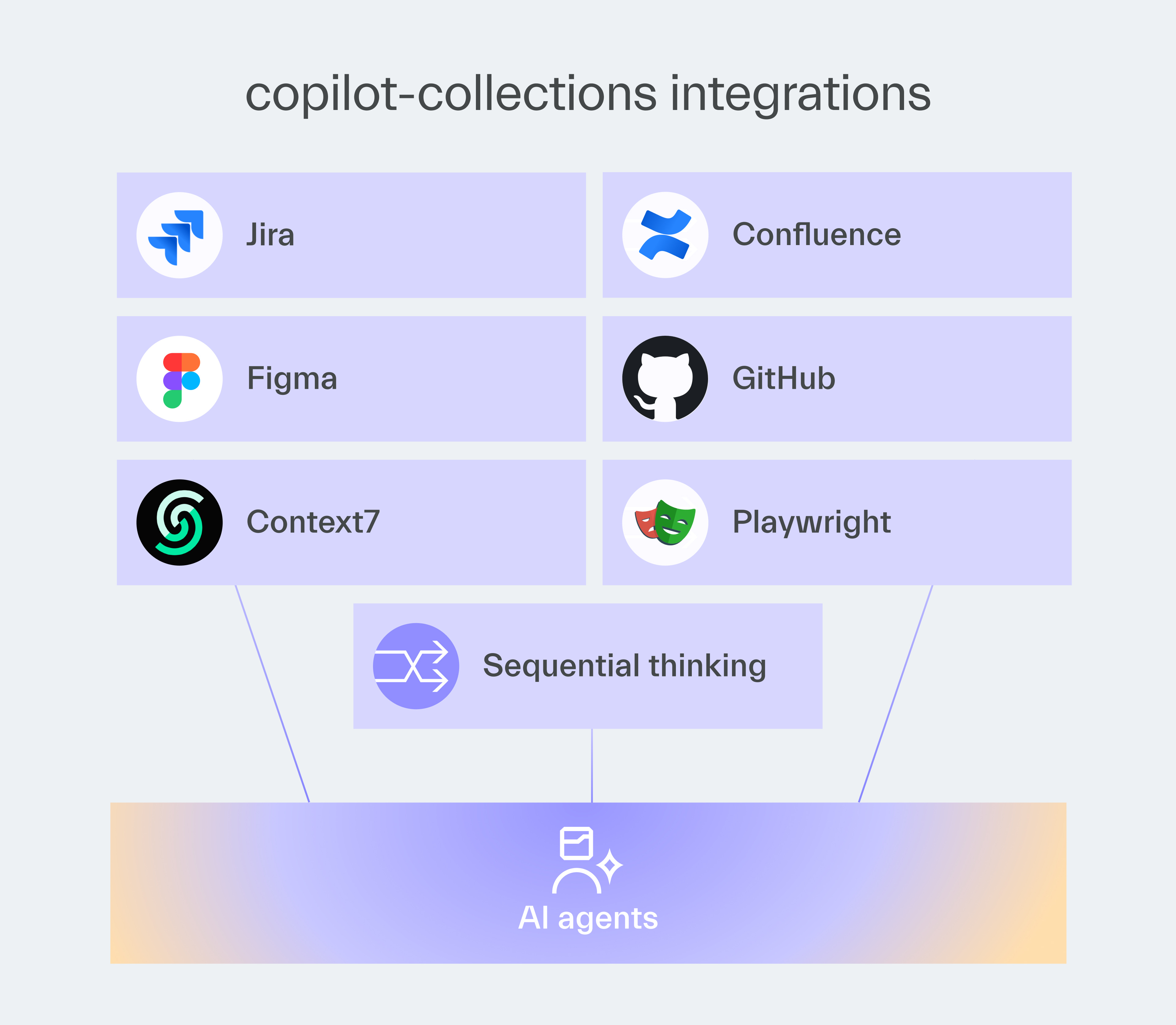
It’s built around GitHub Copilot and ties multiple tools (VS Code, Jira, Figma, Context7, Playwright, and Sequential Thinking) into a consistent workflow.
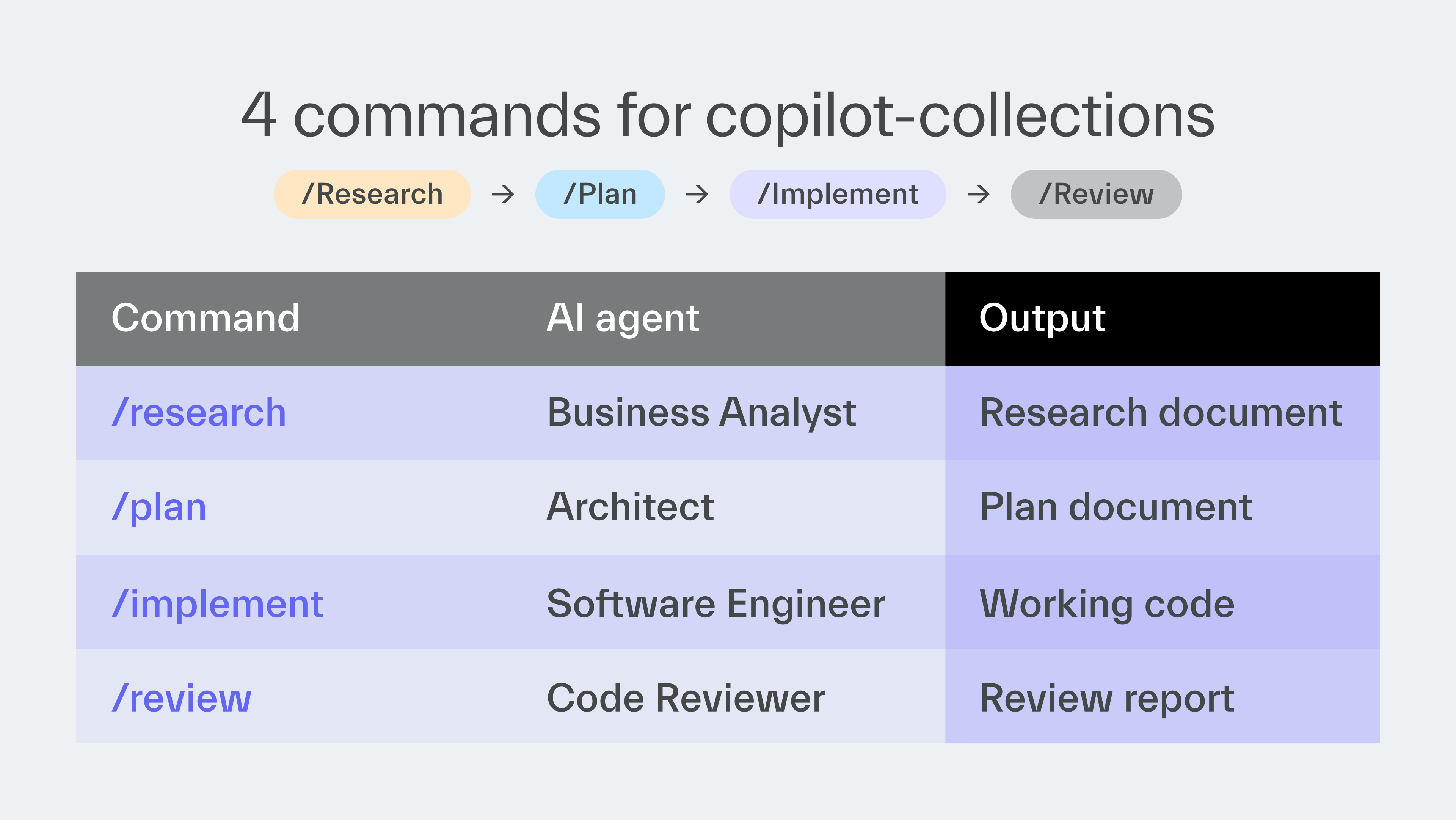
The 4-phase delivery workflow
1. Research
Prompt: /research
Copilot builds context around a task and sources related information.
2. Plan
Prompt: /plan
It creates a structured implementation plan with clear acceptance criteria.
3. Implement
Prompt: /implement
It executes against the agreed plan from phase 1.
4. Review
Prompt: /review
It performs a structured code review and automatically introduces bug fixes.
Each phase uses artifacts created by the previous phase.
For example, task summaries from the Research phase are used during the Plan phase to create a checklist of actions to perform later.
The extended frontend delivery track
For frontend tasks, we added 2 more phases:
Review UI (/review-ui) focuses on verifying UI implementation against Figma designs.
Implement UI (/implement-ui) performs iterative verification with Figma for a pixel-perfect implementation.
The 6 AI agents
When you add the two extra phases from the frontend workflow, copilot-collections offers 6 AI agents:
1. Business Analyst
Extracts and organizes knowledge from Jira and other sources, asking questions to clarify any ambiguities it encounters.
2. Architect
Creates the solution’s blueprint that can include components and interfaces, architecture sketches, and integration strategies.
3. Software Engineer
Writes and refactors the code following the agreed plan.
4. Frontend Software Engineer
Specializes in UI implementation with design verification.
5. UI Reviewer
Verifies the implementation against Figma designs and reports mismatches ranked by their severity.
6. Code Reviewer
Performs structured code reviews and risk detection.
The framework is built around VS Code.
In our experience, it works best with GitHub Copilot.
MCP integrations connect it with Atlassian, Figma, and Playwright.
How to use copilot-collections
We use copilot-collections in about 70% of our projects now.
Here are our best practices.
Help the agent generate requirements
The workflow is built so that the agent, either the Business Analyst or the Architect, will ask you extra questions to clarify the information gathered from tasks and other sources.
Answer the questions to help improve the requirements generated by the agent.
For best results, treat the agent as your partner rather than a servant.
Always verify the results
Focus especially on the outputs of the Research and Plan stages.
Any gaps in the proposed solution or project knowledge are much less costly to remove when caught early.
Use Copilot Instructions
The agent and prompts of copilot-collections give you a consistent AI development workflow.
However, code quality depends more on Copilot Instructions.
They serve as coding guidelines and can be customized for each project.
Prioritize repetitive features
Features such as user authentication, user management, and role assignment are ideal for this framework.
These features have recurring requirements that our AI framework has already analyzed.
If your backlog contains well-defined acceptance criteria, the framework can deliver such features with minimal intervention.
Since standard features are easier to describe and AI models already know them well, we could write clear requirements for building them.
As a result, we can now develop complete user management systems in a few hours instead of days.
In the near future, we’re planning to further improve the development of repetitive features by extending the framework with Agent Skills.
Through Skills, agents will gain on-demand access to specific expertise.
For example, you will be able to build a Skill dedicated to developing a payment processing system.
Try it for greenfield projects
The framework is really good at building features and applications from scratch (so-called greenfield apps).
Existing codebases add extra context, making analysis harder.
Modernization projects can still work, but require quality requirements and oversight.
Assign experienced overseers
Knowledge base, instructions, or Agent Skills won’t fully replace experienced engineers who have lived through real-world troubles.
It’s best to have them oversee the work.
We used copilot-collections to migrate from legacy to microservices.
AI sometimes suggested workable but not cost-optimized solutions because it didn’t understand the full business context.
Experienced engineers asked AI questions to help it find better solutions.
Customize or replicate our framework
You can customize our framework with new agents and prompts.
If you use a code editor different than VS Code, such as Cursor or Kiro, you can still recreate the same workflow.
Most of copilot-collections’ agents and prompts can be replicated elsewhere.
Next time
Aleksander Patschek will provide a checklist to assess your company’s AI readiness and find the right approach for starting an AI project.
Thanks for reading today ✌️

Published with a smirk by The Software House
Twarda 18, Warsaw, Poland
tsh.io →
 | A guest post by
|