

Why AI fails to drive IT’s productivity
Providing access to AI for code tools isn’t enough.

This is “Effective Delivery” — a bi-weekly newsletter from The Software House about improving software delivery through smarter IT team organization.
It was created by our senior technologists who’ve seen how strategic team management raises delivery performance by 20-40%.
TL;DR
AI coding tools promise improved delivery efficiency, but most IT teams see no gains
IT managers rarely implement AI-for-code tools correctly
7 blockers prevent IT from adopting AI for code
According to Adam, a CTO overseeing 220+ technical professionals, companies go through 4 levels of AI adoption
Contents
1. Why managers can’t see AI productivity
2. The 7 AI implementation blockers
3. The 4 levels of AI adoption
Hello! It’s Adam.
Every week, a client tells me their developers use AI tools like Copilot or Cursor.
Then they admit they see no measurable productivity improvement.
What’s going on?
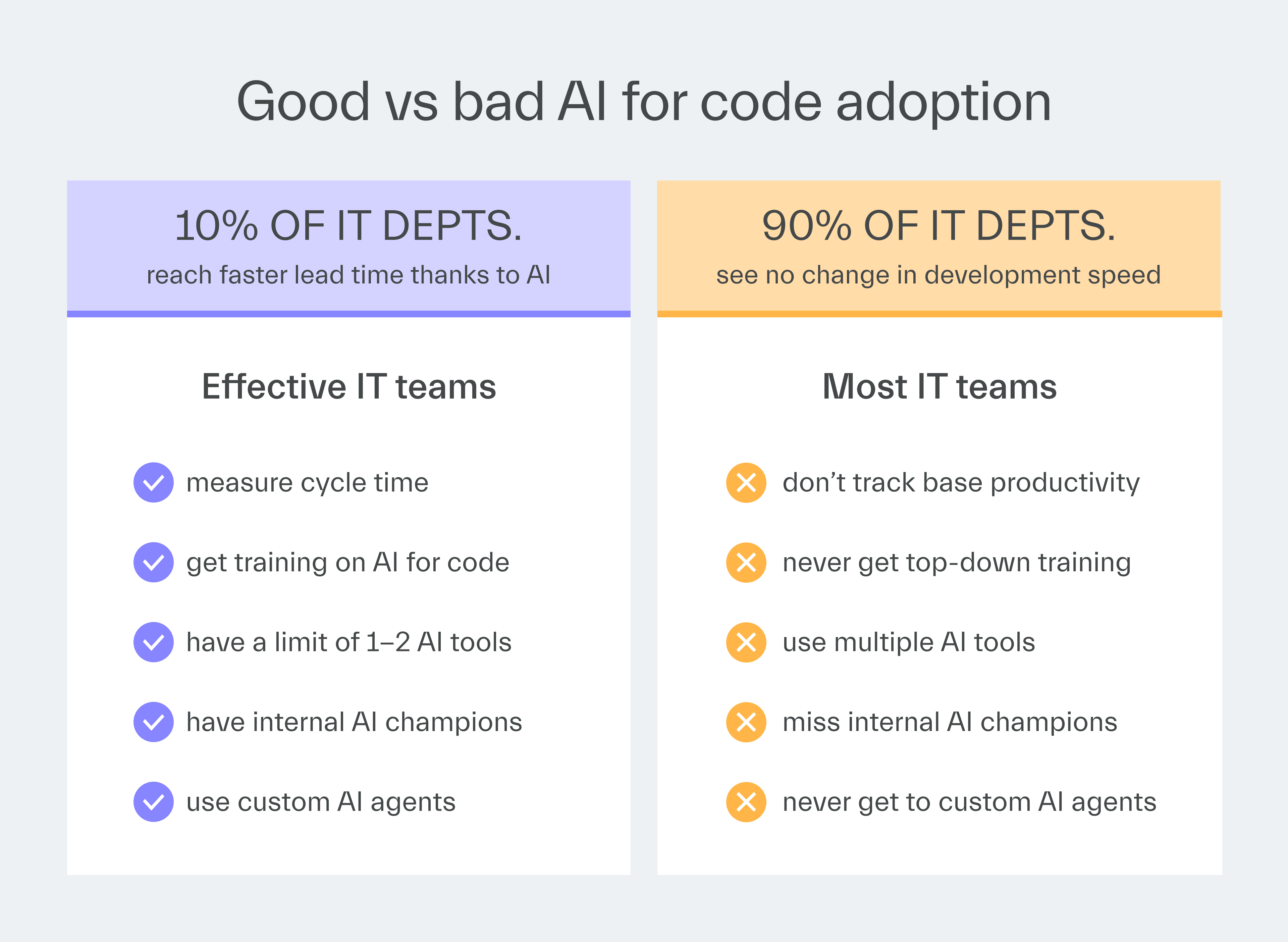
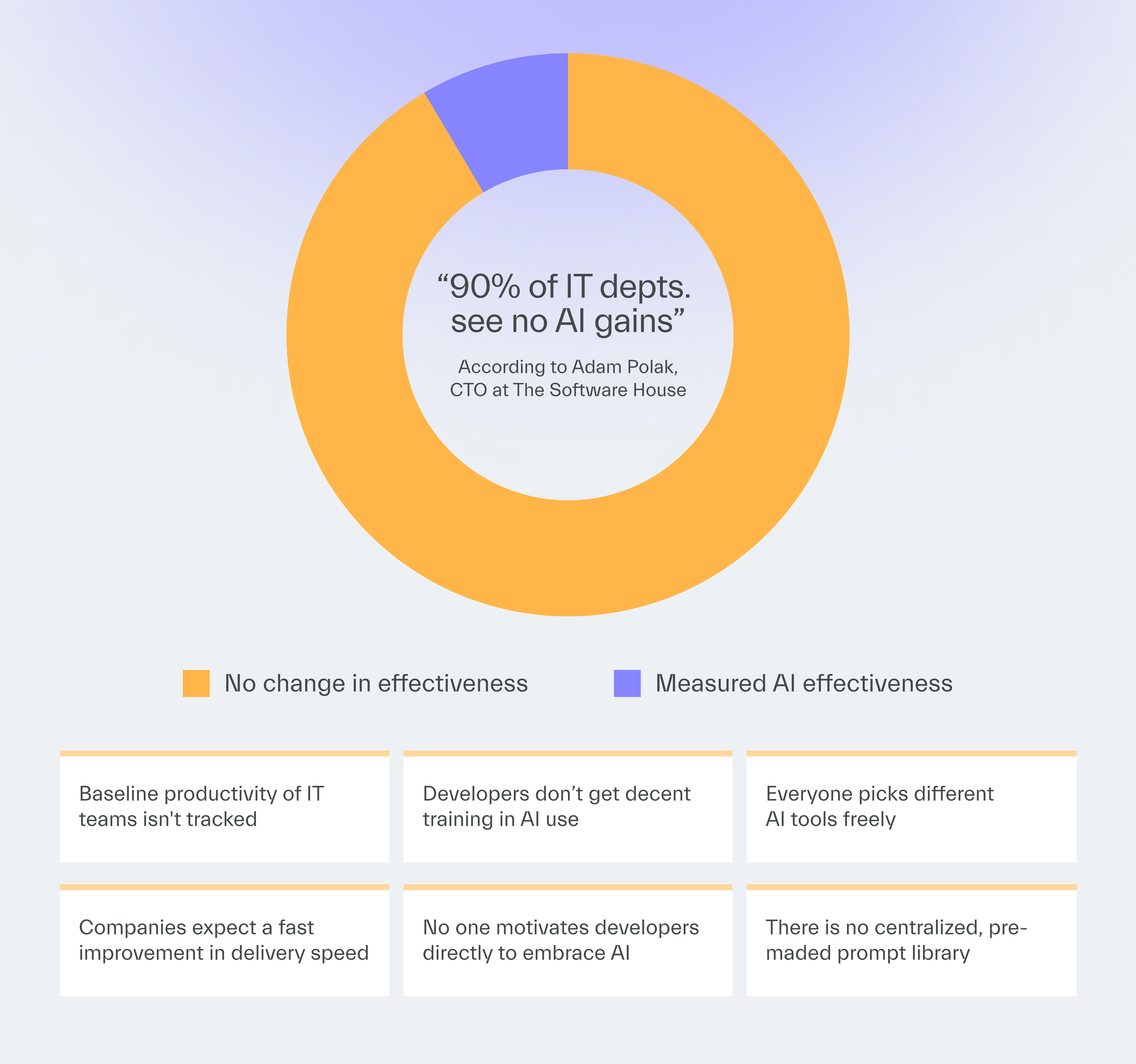
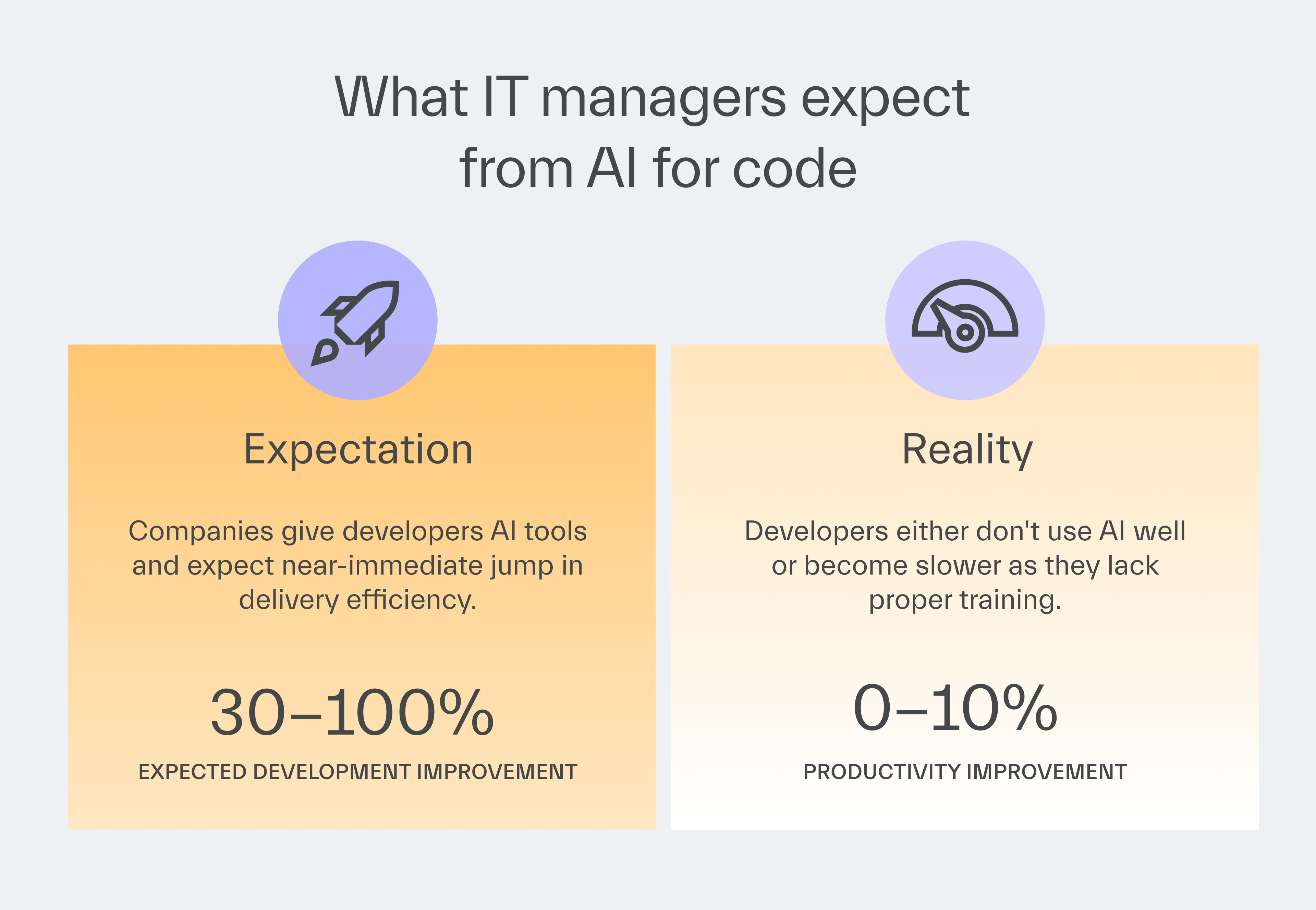
Even among 30 of our current clients, only 2 of them manage to deliver faster with AI coding tools.
The harsh truth is that most IT departments fail to implement AI effectively.
Their leaders believe that merely providing access to AI tools is sufficient to enhance IT productivity.
In this issue, you will learn why this isn’t the case at all.
The next edition will provide you with practical steps to avoid the mistakes companies make when introducing AI coding tools.
Why managers can’t see AI productivity
You’d be surprised how many IT departments are unaware of their cycle time or lead time.
They often have no data on how long features take to ship, how frequently they deploy, or even the number of production bugs they find.
That’s the foundation for measuring any AI adoption.
We had a client who allowed Copilot to be used across their team.
Everyone used it in their own way.
Ultimately, they could not see any productivity difference.
Most developers were not using AI effectively.
Some never even started using it.
They only knew this because they measured cycle time.
Without access to metrics that signal IT productivity, you can’t verify whether the AI code tools you’ve introduced have succeeded in improving them or not.
The 7 AI implementation blockers
Even if IT measures development productivity properly, it may still struggle to use AI by the book.
Here’s what to watch out for.
1. Using AI as Stack Overflow instead of a coding partner
Most developers ask AI to explain code rather than generate it.
They copy snippets and paste them into their editor.
This represents basic usage where AI acts as a more effective search engine, providing a more automated alternative to Stack Overflow.
This doesn’t speed up work nearly as much as using AI to write code from scratch.
2. Using AI without a clue
Most IT Managers assume developers can delegate work to AI without understanding system architecture.
This creates unmaintainable code that looks functional but breaks under scrutiny.
A client came to us with a vibe-coded mobile app requesting a simple fix before their demo.
During testing, we discovered the app barely worked.
The client wasn’t able to explain why things were this way.
The client knew what they wanted to build, but had no idea how to make it properly.
Nobody verified whether the technical approach made sense.
When problems appeared, they didn’t know how to rebuild it.
3. Lack of training and knowledge sharing
Companies often assume developers will self-educate after hours.
But the uncomfortable truth is that effective training requires dedicated time and expert guidance.
At TSH, we once told teams to use AI and assumed they would figure it out.
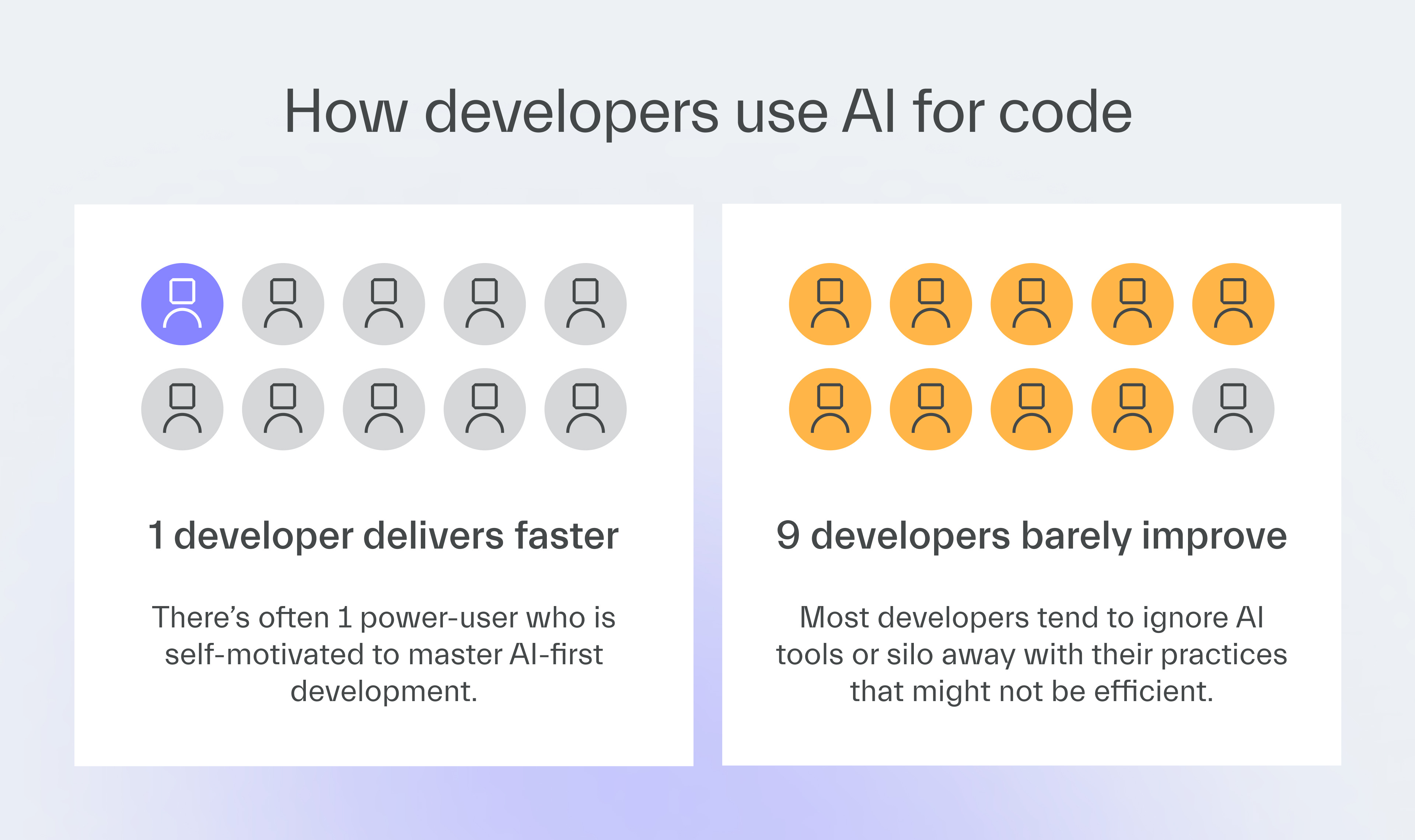
Power users we knew had gains immediately.
Everyone else in the company did not.
Some time later, it turned out others simply weren’t using AI at all.
Everyone else struggled or gave up.
4. No champions to drive adoption
You’re not going to provide quality internal training if you don’t have power users of AI tools to begin with.
These are not easy to come by.
The best AI users learned through trial and error.
They spent weeks figuring out the right prompts and how to use them in practice.
That knowledge never spreads without intervention.
5. No standardization of tools and practices
When there are no standardization roles for AI tool usage, chaos follows:
Companies use as many as 50 different tools.
Developers use whatever they want at any given time.
They switch randomly when new tools appear, never mastering any one thing.
In the next edition, I’ll show you why the most crucial matter is not at all what tool you’re going to pick.
6. Missing AI-first development workflows
Most companies never establish AI-driven workflows for general use.
Instead, they give developers AI tools but no supporting infrastructure.
At TSH, we configured environments, such as our coding editors and Figma, to enable AI to access all project files.
Without this setup, developers would have spent half their time manually copying context.
That defeats the entire purpose of automation.
In the next edition, I’ll show you what kind of AI-driven workflows you can build to really speed up your team’s delivery.
7. Unrealistic expectations about automation
Some managers who introduce AI coding tools set themselves up for disappointment because they simply expect too much from them.
They often believe that providing developers with such tools delivers instant productivity gains of 30% or even 100%.
This plug-and-play mentality ignores the learning curve these tools require, leading to all the other pitfalls I’ve described.
The truth is that AI is unlikely to automate 100% of development work anytime soon.
I’ve also interacted with developers who are disappointed that AI can’t complete a coding job from A to Z even though it completes 60% of the task.
They also need to hear that their expectations are too high.
It’s a tool — not an android.
The 4 levels of AI adoption
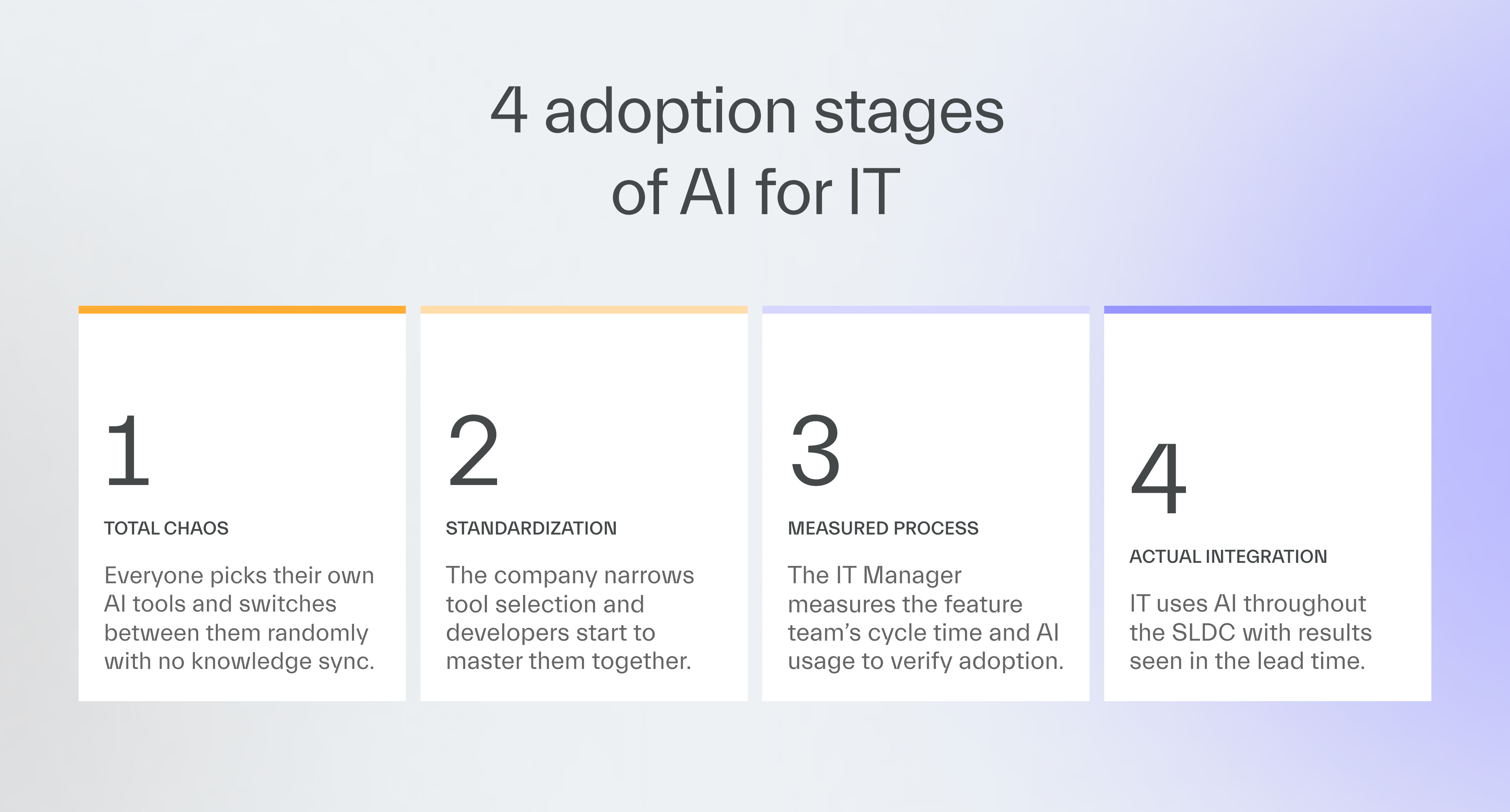
My experience as a CTO who helped introduce AI coding tools for 220 technical employees taught me that there are 4 stages of adoption.
Level 1
Developers choose their preferred AI without coordination.
Level 2
Leadership narrows down AI selection to strengthen adoption and launches formal training.
Level 3
IT managers introduce best practices for given AI-for-code tools through EMs or Team Leads who measure success in cycle time.
Level 4
IT switches to AI-first development where AI increases work efficiency at each SDLC stage.
Like I said, I see that IT departments that don’t see AI gains never mature beyond level 2.
Only organizations at level 3 or 4 can see measurable wins in delivery speed.
Next time
Feeling like IT at your organization hasn’t milked AI yet?
Learn from EDN#13 how to push for AI-assisted development successfully by avoiding my own mistakes.
You’ll see 7 solutions to the 7 blockers you’ve learned about today.
Thanks for reading today ✌️

Published with a smirk by The Software House
Twarda 18, Warsaw, Poland
tsh.io →
 | A guest post by
|