

AI code generation time is not a break
Would all your developers agree?

This is “Effective Delivery” — a newsletter from The Software House about improving software delivery through smarter IT team organization.
It was created by our senior technologists who’ve seen how strategic team management raises delivery performance by 20-40%.

TL;DR
AI code generation can now run without developer input,
Losing focus during generation leads to poor-quality software,
You should not scold individuals, but change processes to help them focus,
Making smaller tasks and removing bottlenecks helps a lot.
Contents
1. The hidden cost of code generation
2. Things to do during code generation
3. How to keep developers focused
Hello. This is Andrzej.
What do your developers do after they write a long prompt and hit that generate button?
When your developers think a break is the right move, that is bad enough.
It is worse if you agree with them.
What your team does during AI code generation shapes your software’s delivery time and quality.
The hidden cost of code generation
Before AI, developers already had gaps when their code compiled or ran tests.
These breaks rarely took more than 5 minutes.
Without an AI helper to simulate thinking, developers relied on their own judgment to verify the code.
Today, a developer can write a long prompt, hit generate, and mentally check out for 10, 15, or 30 minutes.
The problem is that generation is the easiest part, and stepping away at that point puts the quality of the delivery at risk.
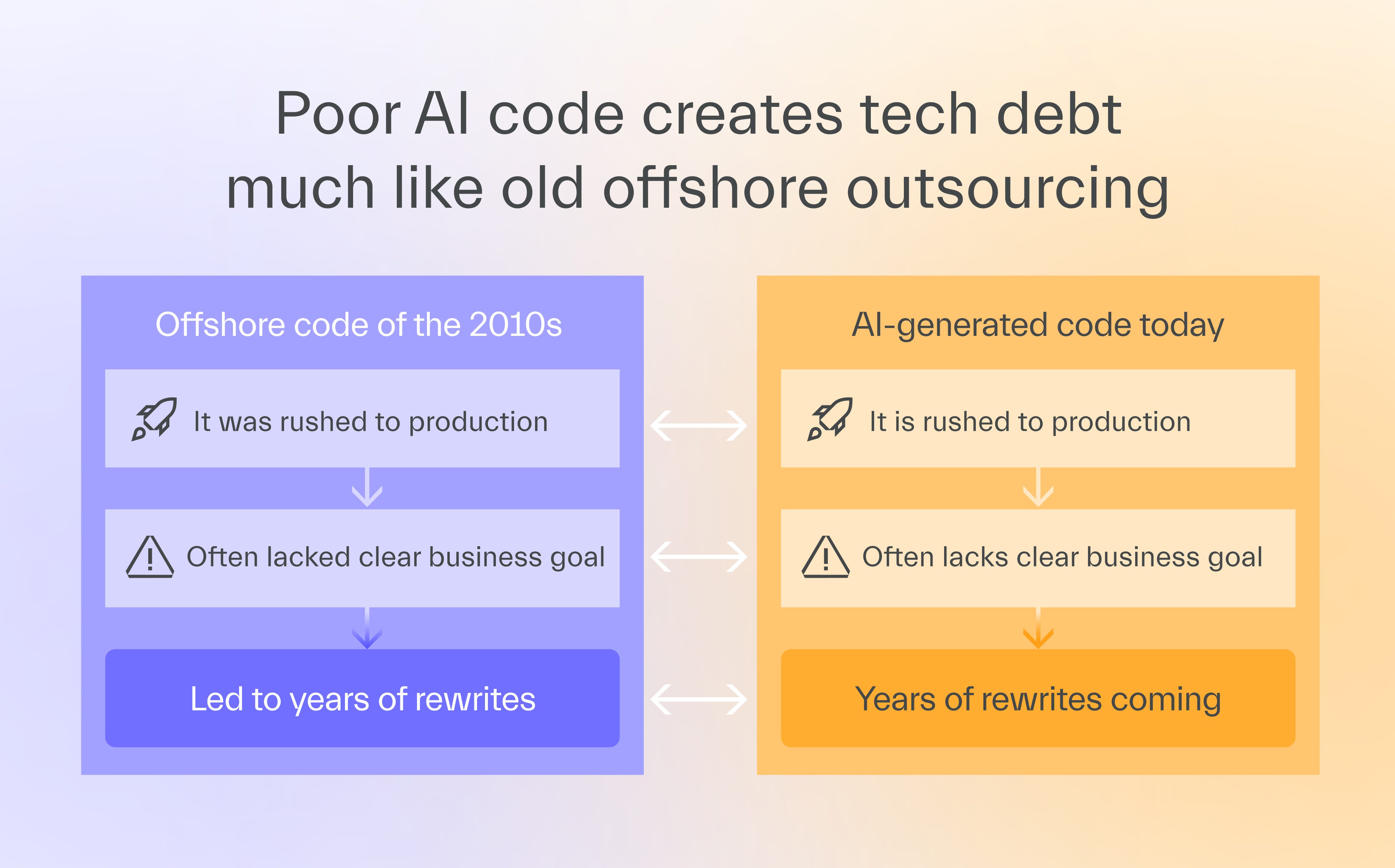
The truth is that AI has made code a commodity.
What matters is not coding, but knowing why you build something, how it fits the system, and what the AI got wrong.
The real cost is not the 15 to 30 minutes of generation time, but the hours or weeks it may take to undo the problems that a subpar, unverified solution creates.
One developer generated a table intended to show each user’s number of booked appointments.
When he added 5 appointments to a user and checked the result, the column showed a single dash in each cell instead of the appointment count.
The AI had seen a dash in the design file and reproduced it without questioning whether it made any sense as a value.
Things to do during code generation
Staying alert during AI code generation allows the developer to have a better command of the code and product through the following activities:
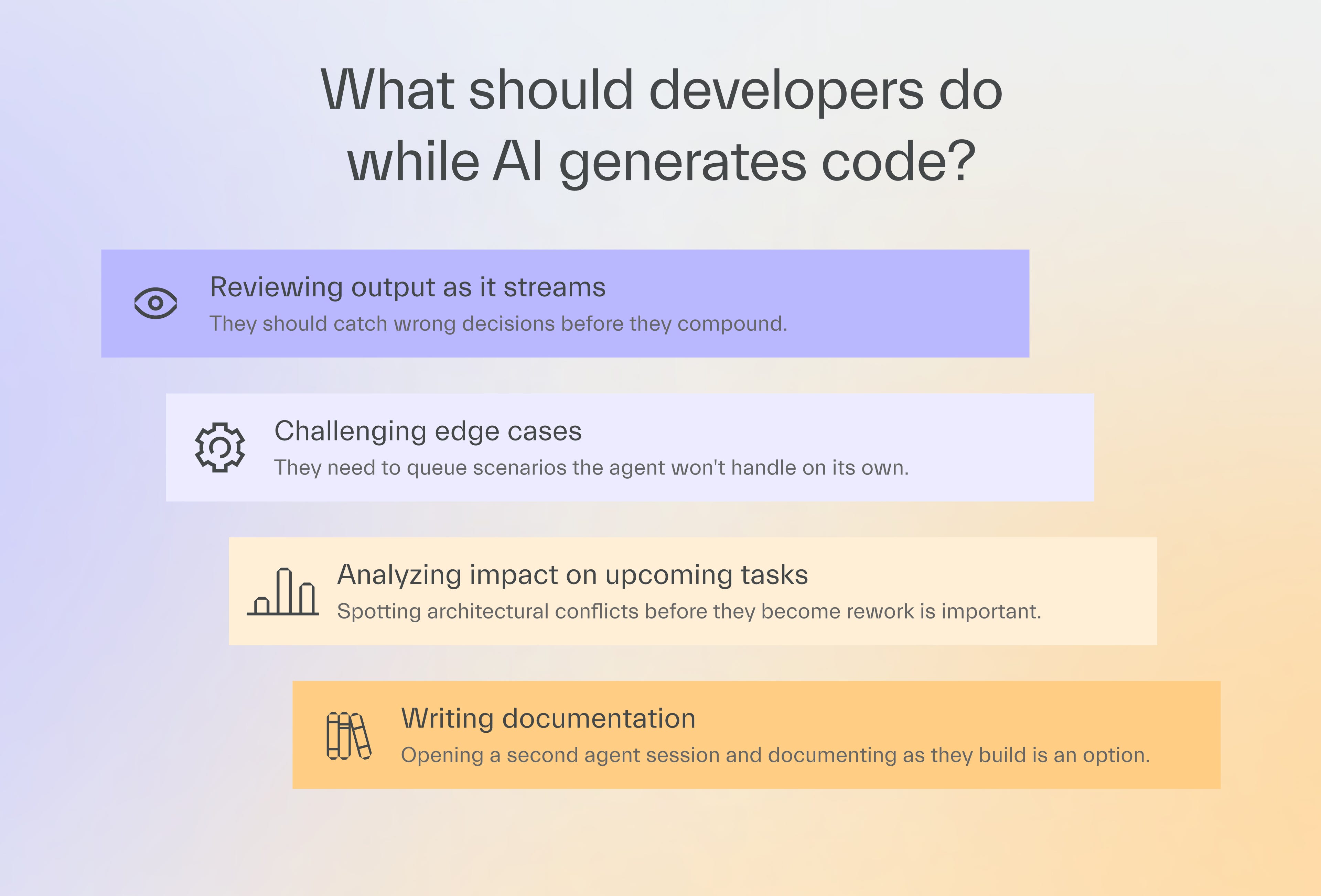
I’m sure you can think of even more things to add to the list.
But the challenge is not coming up with a list of productive activities for a developer.
It’s in reorganizing your workflows so that you don’t need to stand over the developer’s shoulder to ensure they actually do it.
How to keep developers focused
Even if you cloned yourself and had each clone supervise every developer, enforcing good habits would not work.
Practicing a lot of them involves active thinking rather than opening specific directories or browser tabs.
Unless you also have an idea on how to get into their brain, I suggest a different approach.
Design a system where staying engaged is the natural default.
1. Break tasks into smaller pieces
Smaller tasks generate faster, which shortens waiting periods.
The developer can plan the next step while the current one continues to generate.
Code review on small tasks is also faster.
At TSH, I prefer code reviews completed no later than the next day, with 2 fixed daily sessions.
A team on one of our projects used to run hour-long prompts and do other unrelated things while waiting.
The output often came back wrong and had to be reworked from scratch.
They switched to shorter, checkpointed prompts and started catching errors in minutes instead of hours.
2. Group tasks by functional proximity
When a developer finishes one small task, and the next one is related to it in terms of functionality, the context switch is minimal.
Both tasks share the same domain, mental model, and codebase area.
If a developer writes the logic for an “apply” button that sends a discount code, the next task should be adding the discount to the order summary breakdown.
Multitasking on unrelated tasks looks productive, but burns concentration.
3. Ask the right questions
You’re not helping your developer stay focused when you ask questions like “Is it ready yet?” or “What’s the progress?”
Instead, ask targeted questions.
How does the solution fit into the broader architecture?
What edge cases have you considered?
Are you sure AI understood the context well?
Those questions are targeted enough to keep the developer on task without falling into micromanagement.
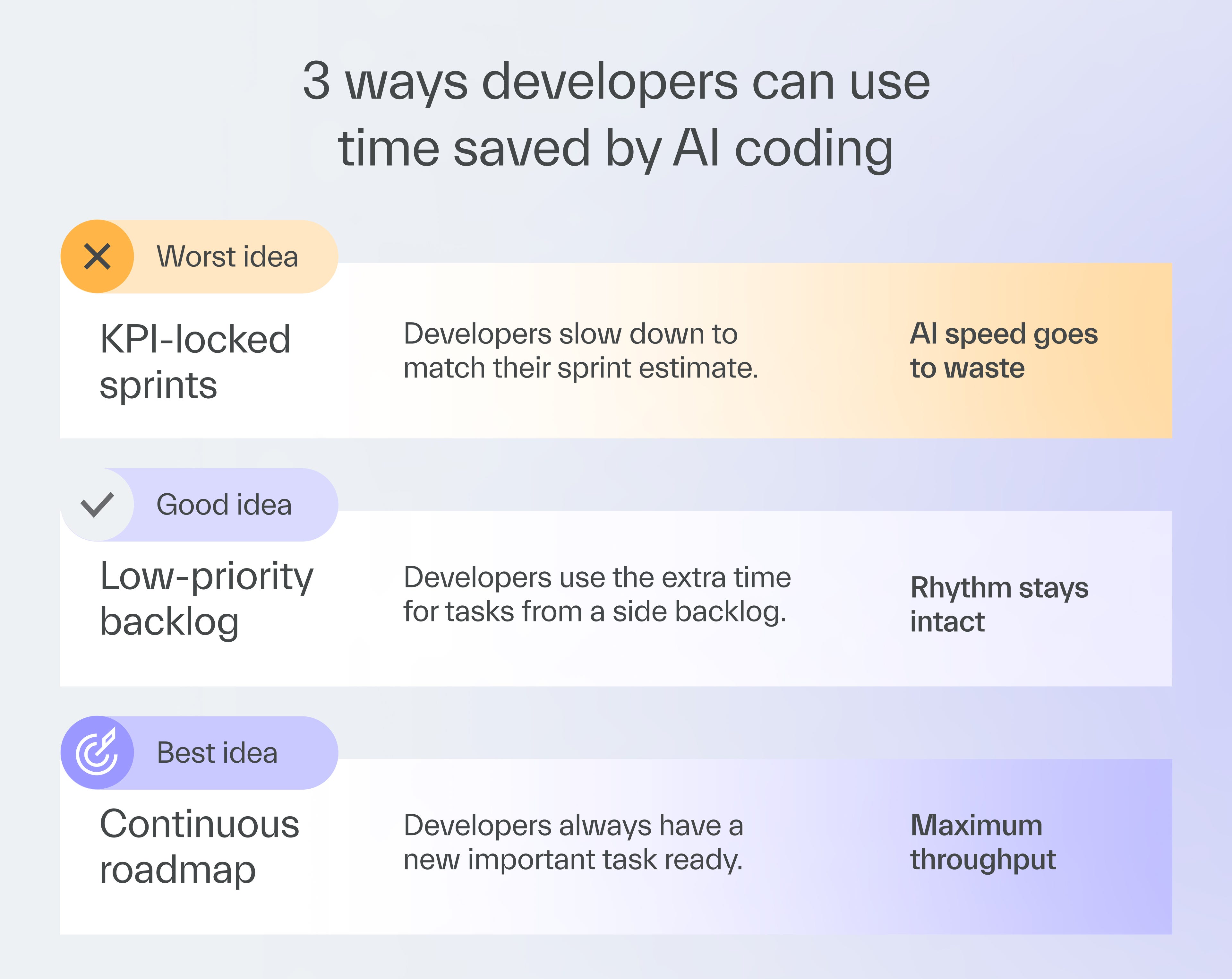
4. Keep a maintenance backlog
Some tasks don’t require deep thought from the developer.
That’s why, to keep a developer alert, it’s good when there’s always something useful to do.
One of our clients keeps a standing backlog of non-urgent tasks ready for whenever developers finish sprint tasks early.
These include bug fixes, technical debt, and documentation-related responsibilities, all ready for a developer to pick up and fill a gap.
These can cause some context switching, but they are better than nothing.
5. Align your business pace with AI delivery speed
Running out of tasks has a more elegant solution than a standing backlog.
With AI, developers can sometimes code so fast that task generation and code review can’t keep up.
When developers know that new tasks are not coming, they feel less urgency and zone out.
You need to use AI to speed up business analysis and code review, removing bottlenecks caused by coding speed.
We wrote one issue about that.
6. Train developers on AI collaboration
Developers who understand how AI makes decisions pay more attention during generation.
AI often chooses the path of least resistance, resulting in suboptimal solutions that don’t scale well.
Pair programming with your top AI users or external consultants can teach your developers how to spot these patterns.
Next time
Marek Gajda, our COO, will explore why some developers never become productive with AI, no matter what.
Is there still hope for them, or should you consider parting ways?
That’s it for today.

More AI — more problems



Help us pay the bill for bitcoin mining

Published with a smirk by The Software House
Twarda 18, Warsaw, Poland
tsh.io →
 | A guest post by
|