


This is “Effective Delivery” — a bi-weekly newsletter from The Software House about improving software delivery through smarter IT team organization.
It was created by our senior technologists who’ve seen how strategic team management raises delivery performance by 20-40%.

TL;DR
IT managers should answer 80% of project questions without asking their team
Context switching caused by constant questioning kills developers’ productivity
Managers who lack project awareness cannot secure long-term efficiency
Backlog, repositories, and pull requests contain most answers one could need
Contents
1. Low project insight vs delivery speed
2. Questions managers should answer alone
Greetings! 🫡
Adam here.
How often do IT managers say something like “I don’t know, but I’ll ask the team”?
15 years in IT taught me that relying on your engineers for answers negatively impacts delivery.
And it goes far beyond distracting them from work.
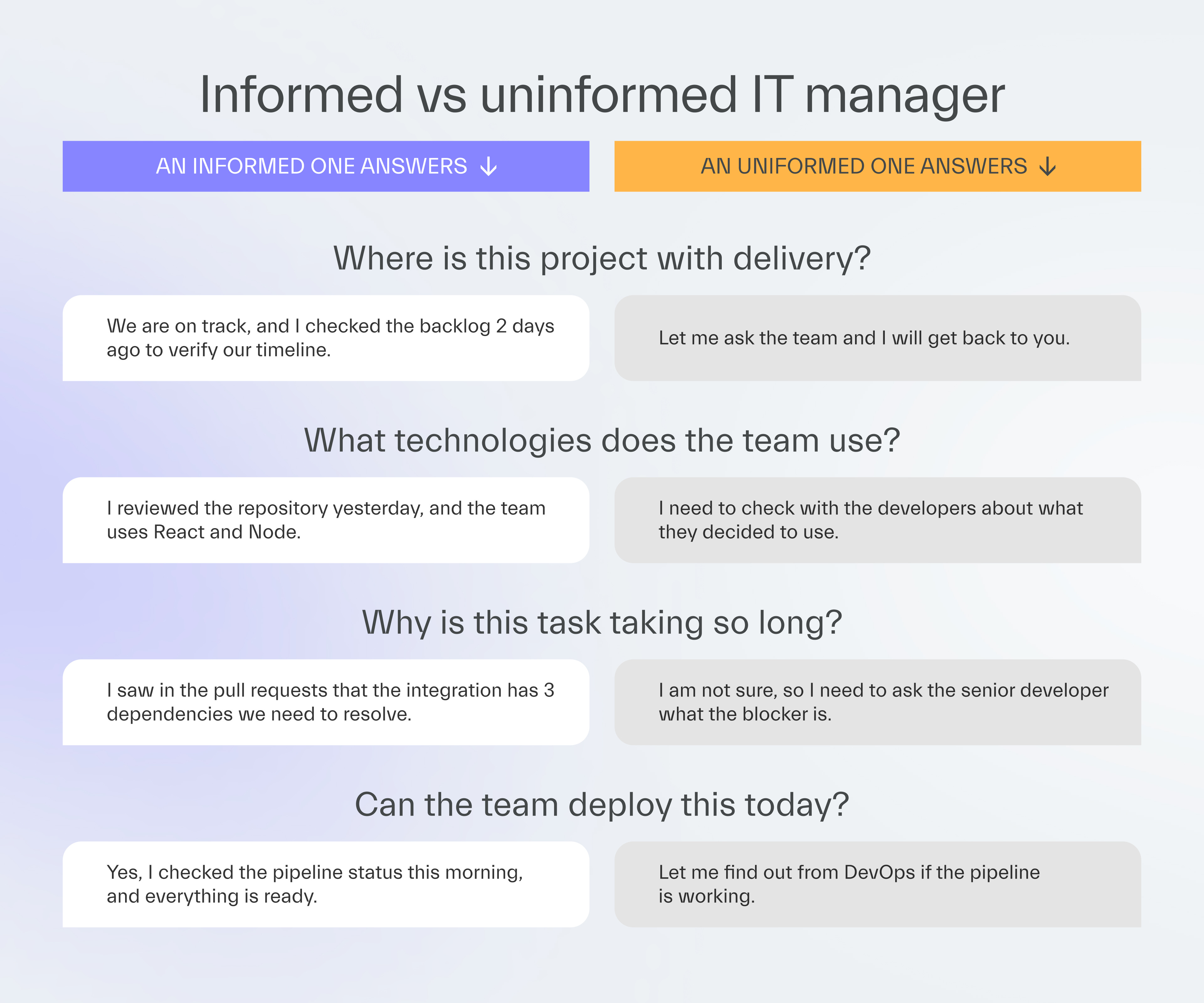
If you don’t want to slow down your team because of poor project knowledge, you should be able to answer 80% of project questions on your own.
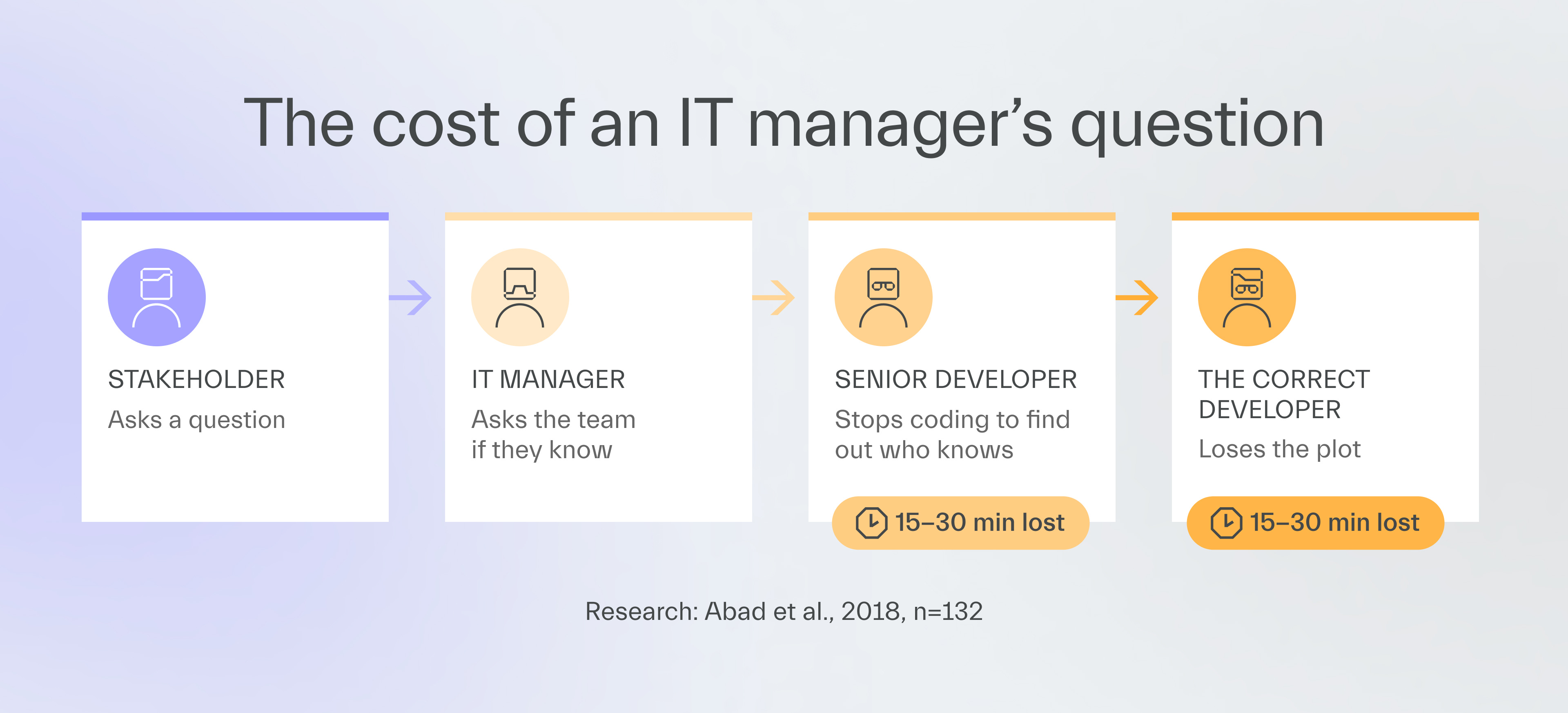
“(...) a programmer often spends a significant amount of time (i.e. 15-30 minutes) reconstructing working context before resuming interrupted tasks.”
Abad et al., 2018, n=132
Low project insight vs delivery speed
The negative effects of questioning begin the moment you ask the team something you should know.
Short-term impact
Each question to a developer costs more than you can imagine.
Nothing ever costs just “a minute” of their time.
Interrupted engineers stop coding and jump through browser windows to return an answer ASAP.
Then, they still need the mental strength to refocus on their project.
It’s worse when a question creates a chain reaction.
You definitely experienced this:
You were asked a question
You passed the question to another developer
That developer passed it to another person
So, 1 question can steal the time of 2 more people.
Needless questions also have a way of extending meetings, further draining the team’s effectiveness.
Our client regularly held daily standups that lasted 1 hour or more.
After a review, we found that one of the managers asked each developer to present what they did yesterday.
He would have saved everyone a lot of time if he had just reviewed the board.
Long-term impact
IT managers with poor project knowledge catch delivery problems way too late.
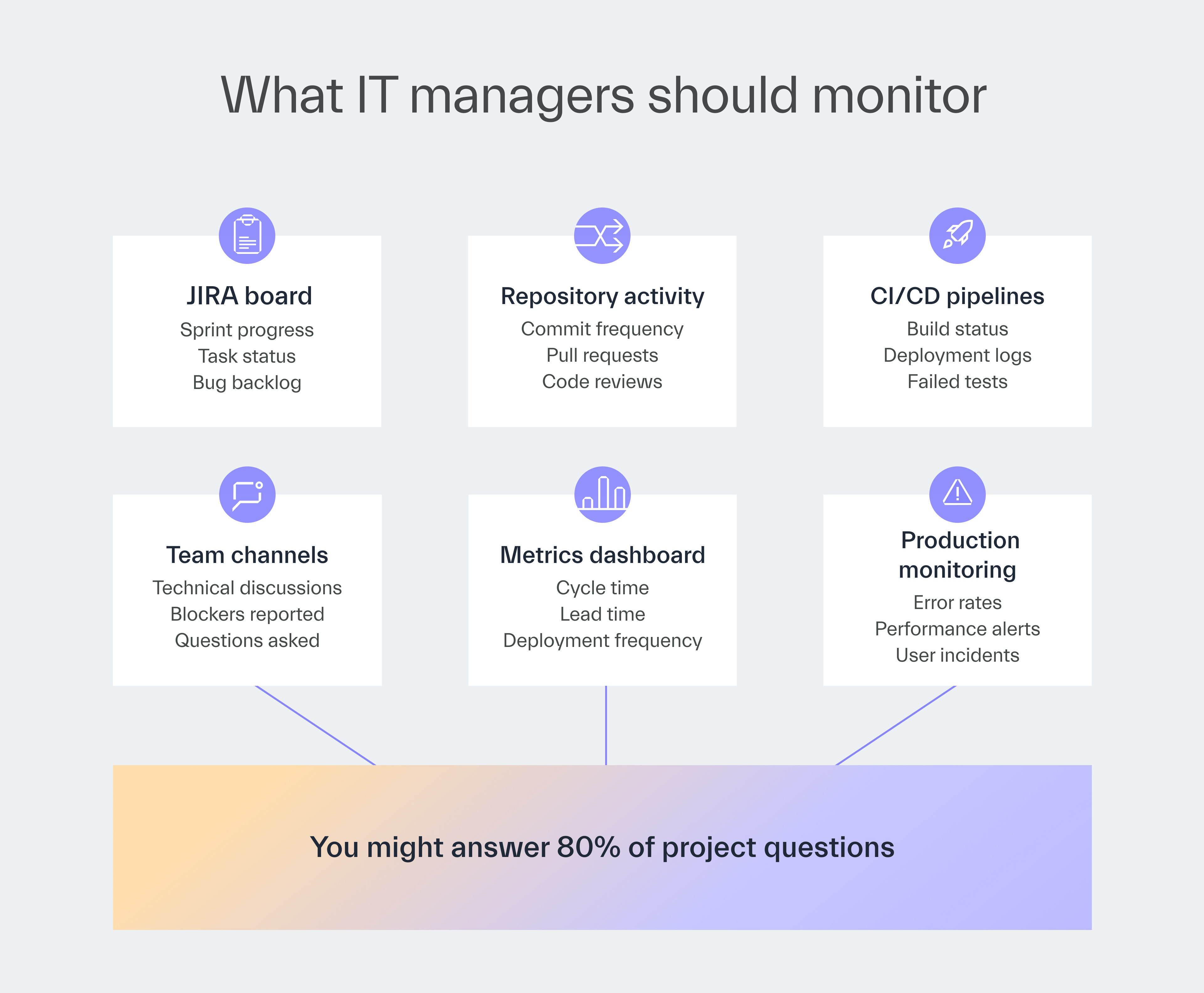
One of our Engineering Managers trusted his team so much that he skipped metric reviews.
After 2 months, he discovered the project was 3 months behind schedule.
Metric analysis tools were available but unused.
It was too late to avoid a delay that hurt many stakeholders.
While I believe in team autonomy, nothing says trust should be unconditional.
This manager should have:
never relied on the IT team’s estimates indefinitely,
reviewed lead and cycle time every few days to confirm the team’s claims.
Questions managers should answer alone
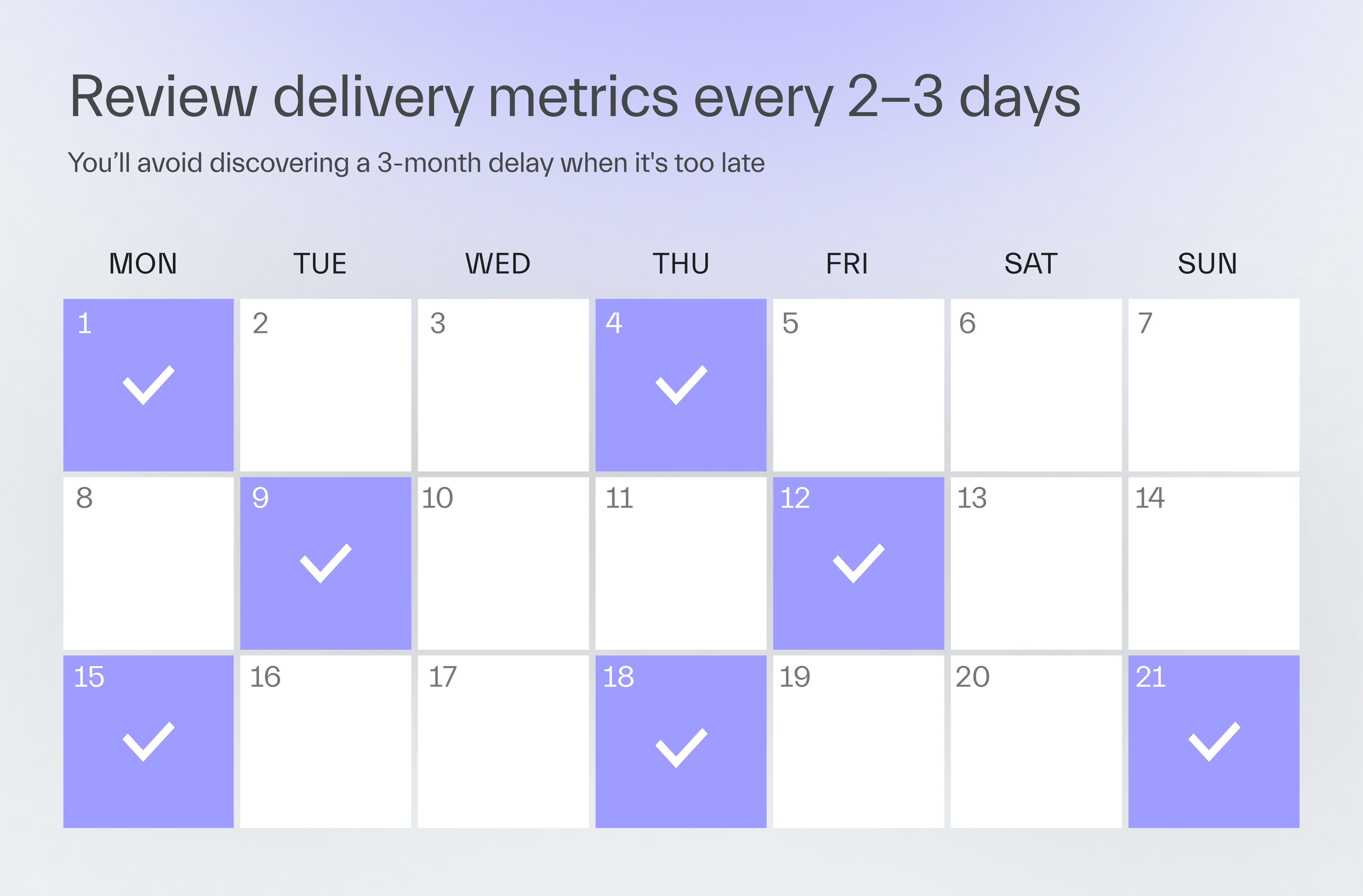
As a CTO, I teach our EMs to dig into project data instead of disrupting engineers.
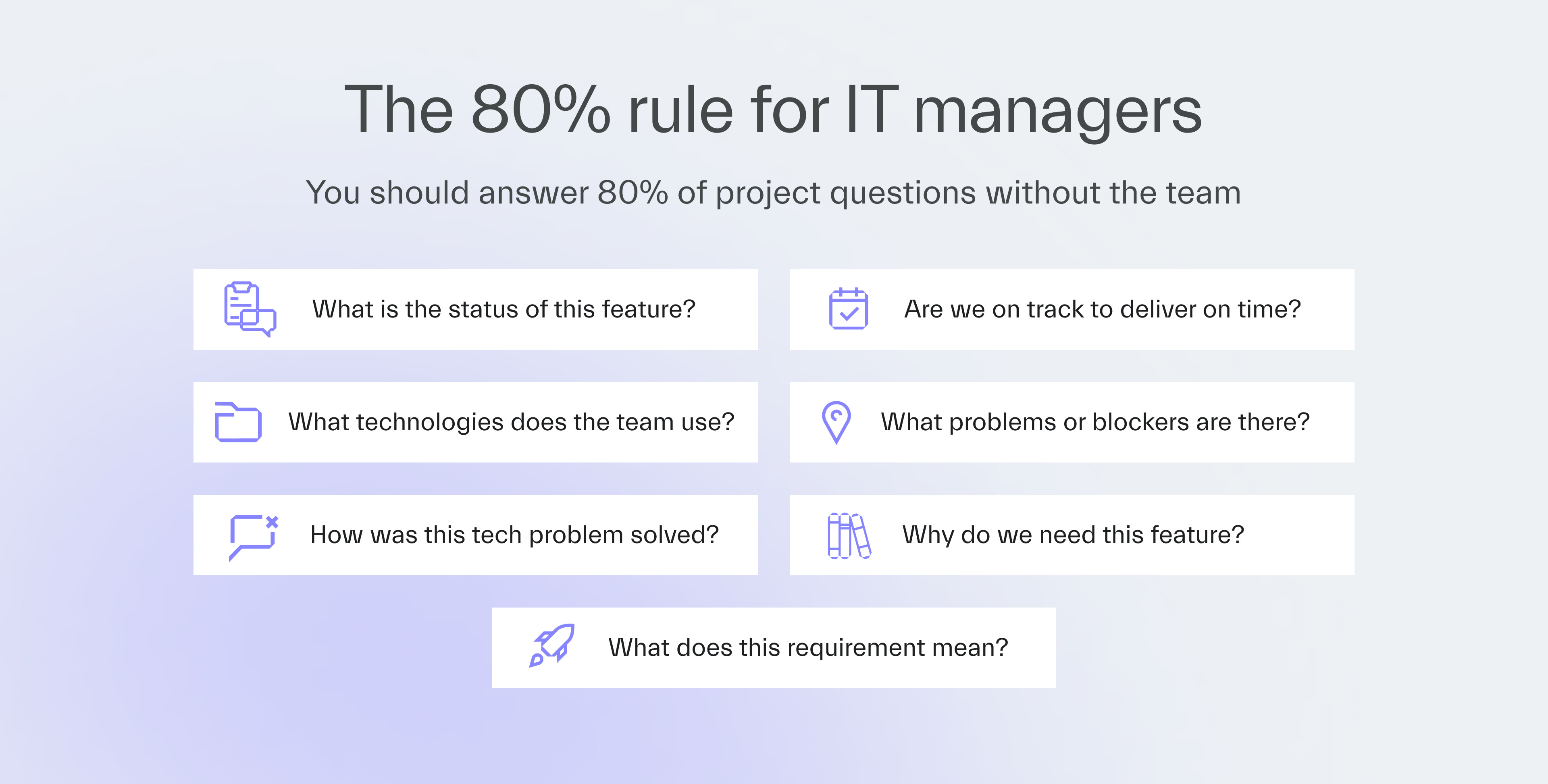
Here’s how to answer 80% of the most common stakeholder questions.
1. What is the current status of this feature?
Let’s un-teach people to ask this in favor of self-reporting.
The answer
The task tracker holds it.
In particular, you can find it in a well-maintained backlog with clear task visibility.
Look at when the task was updated, and who owns it in JIRA, Linear, or Trello.
Responsible IT managers review the backlog at least every few days to spot any delivery blockers.
2. Are we on track to deliver on time?
Predicting development delays costs less than a last-minute realization that affects the timeline and the budget.
The answer
Cycle time and lead time metrics have it.
Velocity counted with story points is unreliable, as IT teams can estimate the same job differently, manipulating the numbers.
Cycle time and lead time measure the actual delivery time and cannot be gamed.
Review them every few days.
The earlier you spot a negative trend, the faster you can intervene.
You can also connect your tracker to an AI to automate the analysis.
We tested this internally, and it works well for quick status checks.
However, AI should supplement your knowledge rather than replace hands-on involvement.
3. What technologies does the team use and why?
Stakeholders inevitably ask about compatibility, constraints, and technical capabilities.
The answer
When joining a new project, any IT manager should have access to:
a task tracker,
repositories,
design tools like Figma,
the knowledge base like Confluence or Notion.
Having that access, you can check the repository structure and package files for dependencies.
Then, review the architecture documentation.
Try to understand how engineers chose these technologies and what alternatives they considered.
4. What problems or blockers are there?
You can only guarantee the project timeline is valid if you know what issues exist and how much time they might cost.
The answer
Daily standups are a good opportunity to reveal any blockers.
Walk through the board of your tracker column by column instead of asking the 3 standard questions of what you did yesterday, today, and what obstacles you see.
Pair programming is another great way to spot potential project derailment early.
If you see a developer struggling, code with them to learn about the blocker firsthand while helping to resolve it.

You could see 30% faster Lead Time
I (Adam) and my crew help engineers become AI-for-code veterans. In 30 days.

5. How was this technical problem solved?
Understanding implementation decisions helps you answer follow-up questions and guide future work.
The answer
Pull requests have it.
Make it a habit to review what gets merged into the main branch.
Filter by merged PRs from the past few days and scan descriptions and changes.
You don’t need to review every PR in detail.
Focus on PRs that touch critical parts of the system or implemented features you need to understand.
By reviewing PRs regularly, you learn how the team solves problems without asking.
What’s more, code reviews can help an IT manager who rarely codes stay up to date with implementation practices.
6. Why do we need this feature?
Understanding the “why” helps you make better technical decisions aligned with business goals.
The answer
Product documentation, stakeholder conversations, and project briefs hold this context.
Analyze it against industry benchmarks and reports to find out how the product compares to competitive ones, and where it fits in the market.
7. What does this requirement mean?
Sometimes, “I’ll ask the team” morphs into “I’ll ask the stakeholder”, which usually presents the manager as a disconnected one.
The answer
It’s in all the meetings, like a project kick-off, and workshops you hold with your client.
Ideally, you should understand every client requirement when it is first presented to you.
Ask questions only when needed.
If there’s something unclear to you, assume that it will also be unclear to your teammates.
At a minimum, understand the requirement before you pass it to the team.
Next time
Aleksander Patschek, one of our main AI experts, will demonstrate how to verify whether your company has the resources needed to develop AI-powered products.
Have a good one 👋

