

Steal our AI delivery framework, seriously
Test it & fork it to deliver 40% faster with AI.

This is “Effective Delivery” — a newsletter from The Software House about improving software delivery through smarter IT team organization.
It was created by our senior technologists who’ve seen how strategic team management raises delivery performance by 20-40%.

TL;DR
Our open-source AI framework regulates a developer’s workflow,
Business analysts use it to turn requirements into Jira tasks,
Non-technical product people turn notes into epics with it,
Try it vanilla and fork it to customize it as you see fit.
Contents
1. It’s a complete AI product engineering framework
2. Getting started with Copilot Collections
3. 9-step rollout of Copilot Collections
Hello,
I’m Jakub Korczak, an Engineering Manager.
Working at The Software House, I get to interact with many companies.
When it comes to AI adoption, they often repeat the same mistakes.
Best practices stay unclear, acceptance criteria are vague, and every team member ends up using AI differently.
We were there, too, until we developed Copilot Collections.
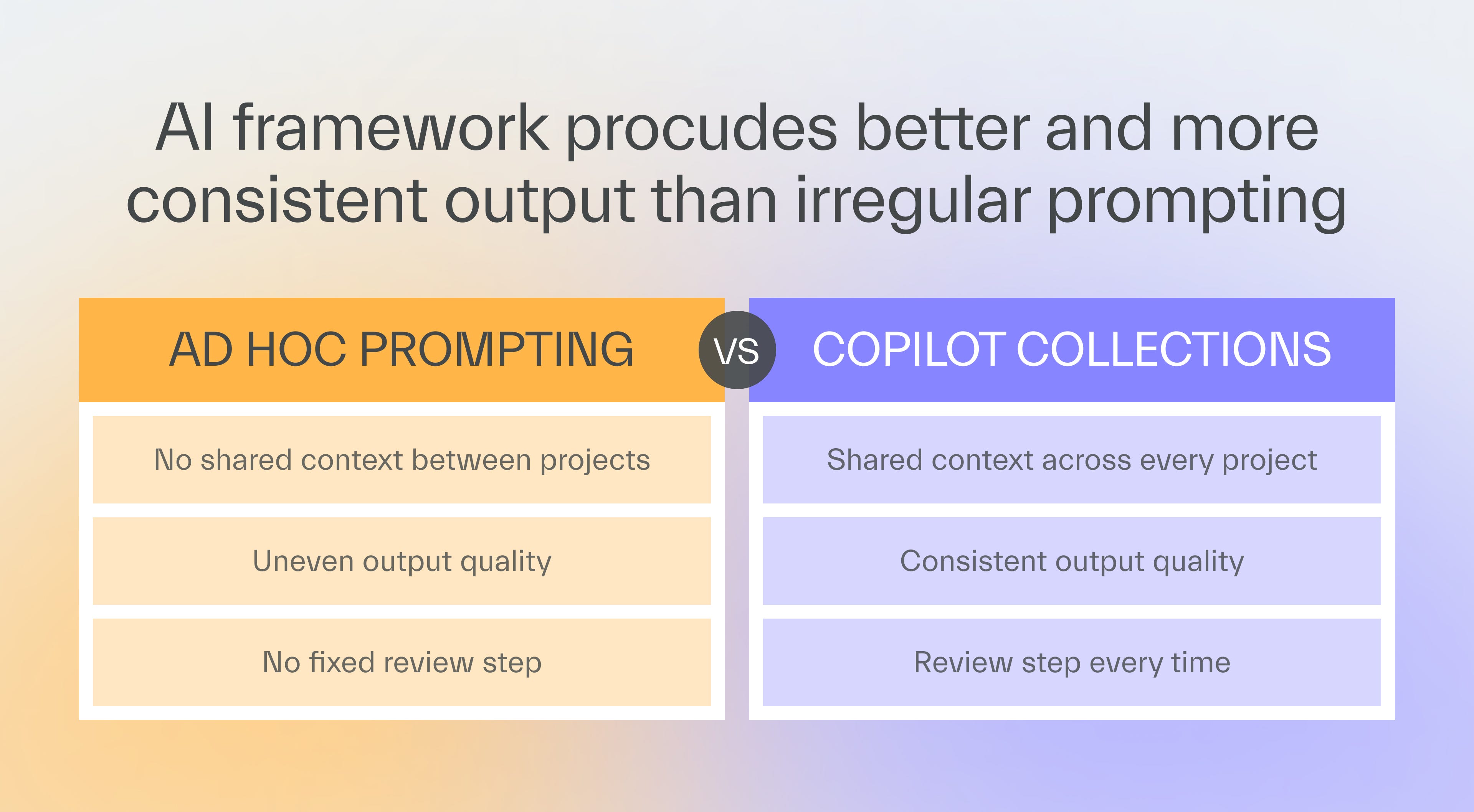
It’s an open-source AI software delivery framework that digitized and standardized the best practices of our entire product engineering team.
All of our teams use it in commercial projects, and their delivery speed improved by 30-40%, often delivering whole epics in under an hour.
Copilot Collections is available on GitHub, where you can download it to test it out or fork it to customize it.
As one of the co-creators of Copilot Collections, I’m going to tell you how to introduce it to your team.
It’s a complete AI product engineering framework
Before we get to the fun part, there’s one thing you need to understand.
Copilot Collections is not just an AI-driven coding assistant.
It covers the whole product development lifecycle, from the first workshop to the review.
It unites the entire team, from the business analyst to the developer, under one AI-driven delivery process.
The 4-step workflow
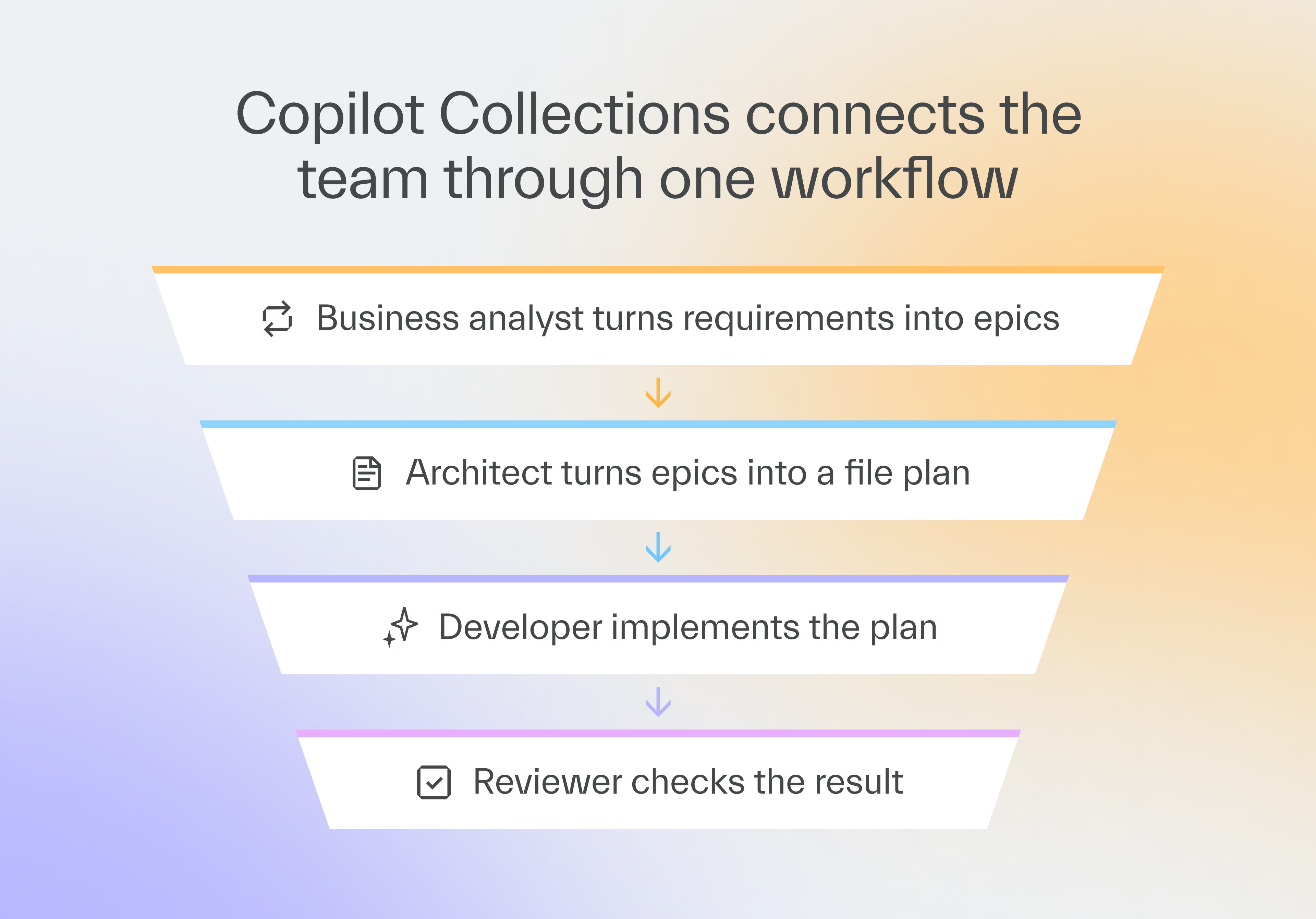
The basic workflow involves 4 steps.
Research comes first, where a business analyst builds the scope,
Planning comes next, where an architect turns that scope into a plan,
Implementation has engineers execute the plan,
Review involves both code review and risk detection.
The first step is handled by the Business Analyst agent, while the rest are handled by the Engineering Manager agent, who oversees a group of technical agents performing different tasks.
The framework remembers your codebase and reuses existing functions and patterns, rather than requiring developers to explain them repeatedly.
What product teams get
Through the BA agent, Copilot Collections offers many benefits to non-technical users.
Turning raw notes into real insights
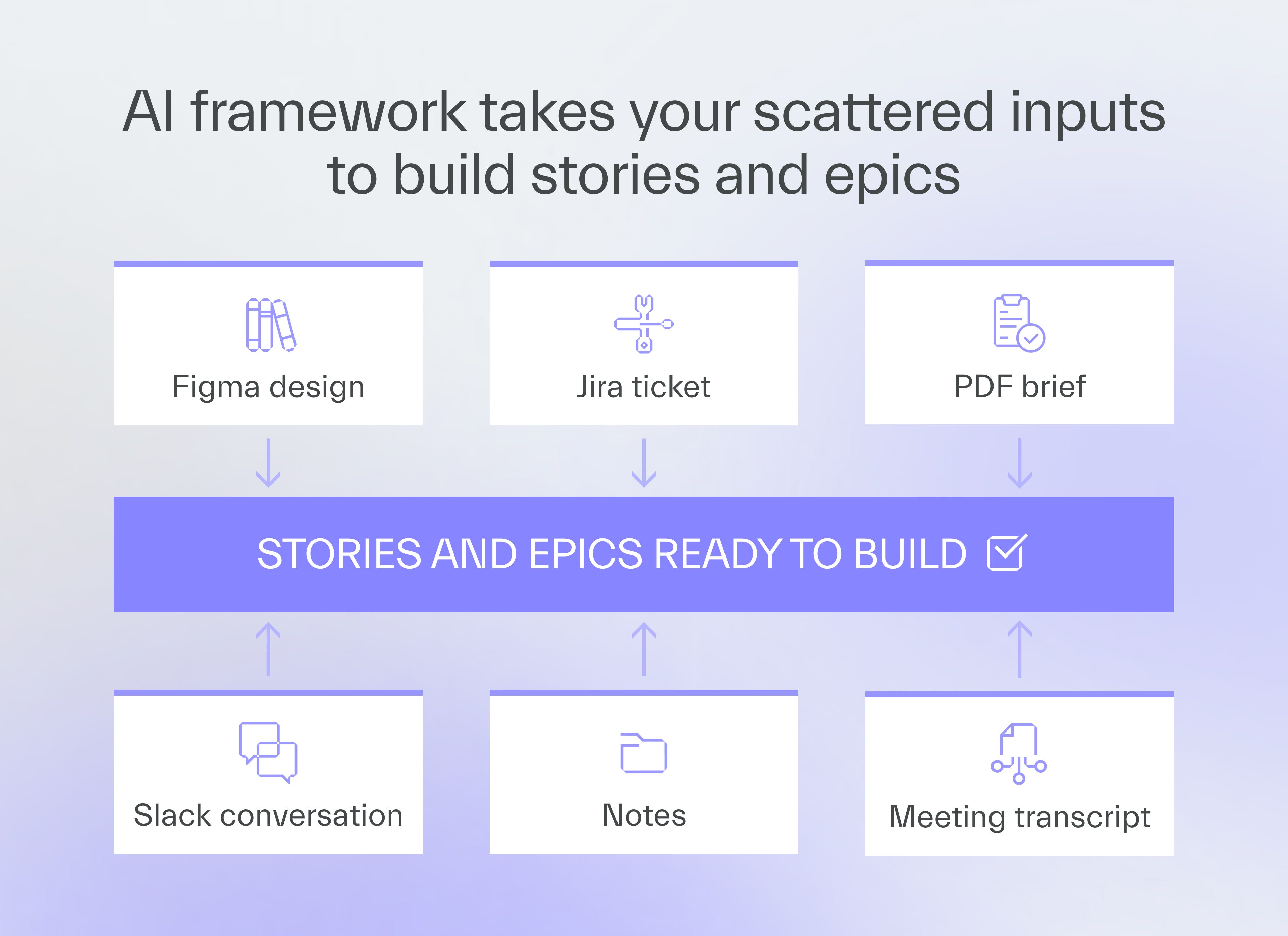
Product teams have access to a variety of product-related information, including meeting notes, briefs, Slack conversations, PDF files, and Figma designs.
The useful info is buried, but the BA agent cleans the raw files and surfaces product insights in minutes.
Spotting requirements gaps
Some requirements may not be present in the input or may need additional detail before they can be acted upon.
The agent flags such issues to the product team so they can remove them before they become blockers in development.
Turning insights into ready-made tasks
Once it has the data, the agent turns those insights into epics and stories and gives you the option to push them to Jira in a proper format.
Getting started with Copilot Collections
Copilot Collections doesn’t require any training from either a developer or a product person.
Non-technical people need help with the installation, since it requires cloning the repo or setting up Visual Studio Code and the Node.js environment for MCP integrations.
Once a developer sets it up for them, product people never touch a line of code again.
Find the installation guide at:
github.com/TheSoftwareHouse/copilot-collections
Integrations you’ll need
Copilot Collections plugs into many of the tools your team likely already uses.
Atlassian Jira pulls tickets directly, though copying and pasting also works,
Figma feeds into your design files,
Playwright controls the browser for you,
Context7 delivers the latest documentation for your libraries,
Sequential Thinking improves the performance of AI models,
PDF Reader reads specs and briefs straight from PDF files.
9-step rollout of Copilot Collections
Start small, prove it works, and then roll it out to everyone.
1. Appoint a small pilot team
Pick 2 or 3 motivated people from product and engineering to lead the first run.
Include at least one product person on the team.
2. Prepare a minimal environment
Install only what the starter project needs.
GitHub Copilot License,
VS Code,
Node and Git,
MCP with one integration, such as Figma or Jira.
3. Choose a starter project
Pick a real, small feature you already need to build instead of a demo task.
Copilot Collections performs best on real work, where it shows its strengths.
If you must use a mock project, give it real elements, such as validation, a backend connection, and a design file.
A form covers all of these and tests the entire process from the frontend to the backend.
Our first UI output from a Figma file came out rough every time, with incorrect spacing and colors.
Originally, we fixed it by hand, needing three rounds of prompts each time.
Now Playwright checks the screenshot against Figma and iterates up to five times on its own.
4. Set acceptance criteria and run it
How well you prepare your tasks decides how good the output is.
Whatever gets agreed off the record on Slack or in a meeting has to go into the ticket.
A title and two sentences don’t make a usable ticket.
Backlog refinement matters more here than ever.
Sprint planning shifts, too, from counting small stories to counting how many well-prepared features you can ship.
5. Run a test sprint
Complete the starter project with Copilot Collections, and document what you find.
Issues you hit,
Benefits you notice,
Feedback from the pilot team.
6. Evaluate and decide
Look at how the test sprint went.
Check whether the review catches real risks and gaps, or reads like generic, hallucinated notes.
If it felt smooth and valuable, that’s your green light.
This was the test run.
Now you can open Copilot Collections up to the whole team for a bigger trial.
7. Expand to the full team
Bring in every team member and give them the framework, either as we built it or as your own forked version.
8. Standardize across teams
Set clear guidelines for requirements and workflow, then roll out Copilot Collections to more teams with onboarding and support.
9. Iterate and tune it to your organization
The first 1 or 2 sprints are for calibration.
You’re learning where your team needs a different agent or prompt to fit its workflow.
Track how long each phase takes and how many bugs QA finds afterward.
Expect this tuning to take about 2-3 sprints.


Fork Copilot Collections
Copilot Collections was built by The Software House to reflect, standardize, and amplify how we develop software.
Some agents are based on our own top developers.
Test the vanilla version to see if you like it. If you do, consider forking it.
You can modify existing workflows and agents, and create new ones as well.
If you do go that route, keep the development within a small committee of experts.
Everyone should make suggestions, but a centralized development team allows you to enforce a standardized delivery process.
Next time
Next time, Marek Gajda will show you the dashboards we built to measure AI usage in Copilot across projects, teams, and departments.
He’ll share the code, so you can use it to develop the same tracking for your organization.
See you in 2 weeks 👋

Use Copilot Collections for project estimations, too!



Help us pay the bill for bitcoin mining

Published with a smirk by The Software House
Twarda 18, Warsaw, Poland
tsh.io →
 | A guest post by
|