

Turn 70% of engineers into AI superusers
AI-first development starts here.

This is “Effective Delivery” — a bi-weekly newsletter from The Software House about improving software delivery through smarter IT team organization.
It was created by our senior technologists who’ve seen how strategic team management raises delivery performance by 20-40%.
TL;DR
There are 4 levels of AI for code adoption that reflect the team’s efficiency,
IT Managers can only see real productivity gains at level 3 and above,
Removing the 7 blockers described in EDN#12 can get IT to stage 4,
Measure engineers’ AI adoption by studying token use.
Contents
1. The 4 levels of AI adoption
Hello! Adam here.
Last time, I described the 7 blockers that prevent IT departments from seeing productivity gains from AI tools.
At TSH, our AI adoption started at just 10% of engineers actively using AI for code.
After we addressed the blockers, that number grew to around 70%.
Here’s how IT managers can help their engineers max out AI-powered productivity.
4 levels of AI-for-code adoption
You may remember these from the last issue.
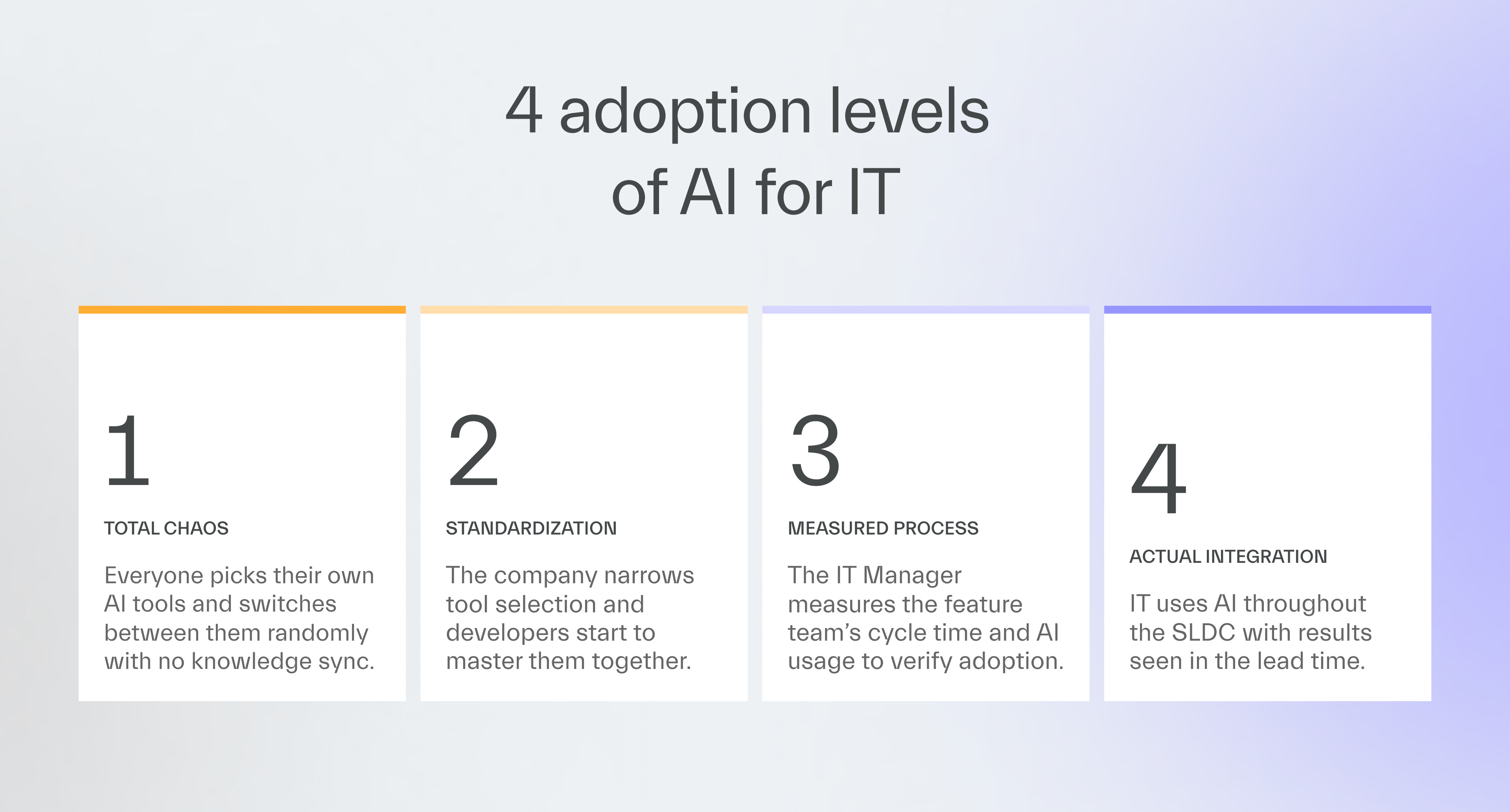
As I explained, seeing measured improvements from using AI coding tools can be seen only at level 3.
Help your IT department eliminate the blockers, and engineers will master AI-for-code faster.
Remove the 7 blockers
1. Switch to the “Agent” mode
Removes blocker 1: using AI as Stack Overflow.
The fix requires one click in the AI tool.
Tell developers to switch from “ask” mode to “agent” mode.
Ask mode only answers questions,
Agent mode pushes AI to return technical solution instead of chit-chatting,
You can also recommend tools that only work in agent mode, like Google Antigravity.
Verify if engineers made the switch in 1-on-1’s, where you show how to use it.
2. Preload AI with architecture know-how
Removes blocker 2: using AI without a clue.
Juniors without architectural experience can still use AI effectively with some safeguards.
At lower levels, the most cost-effective option is to have humans review their work.
At level 3, you can pre-load the AI assistant to have access to detailed guidelines regarding the architecture with :
Jira task information,
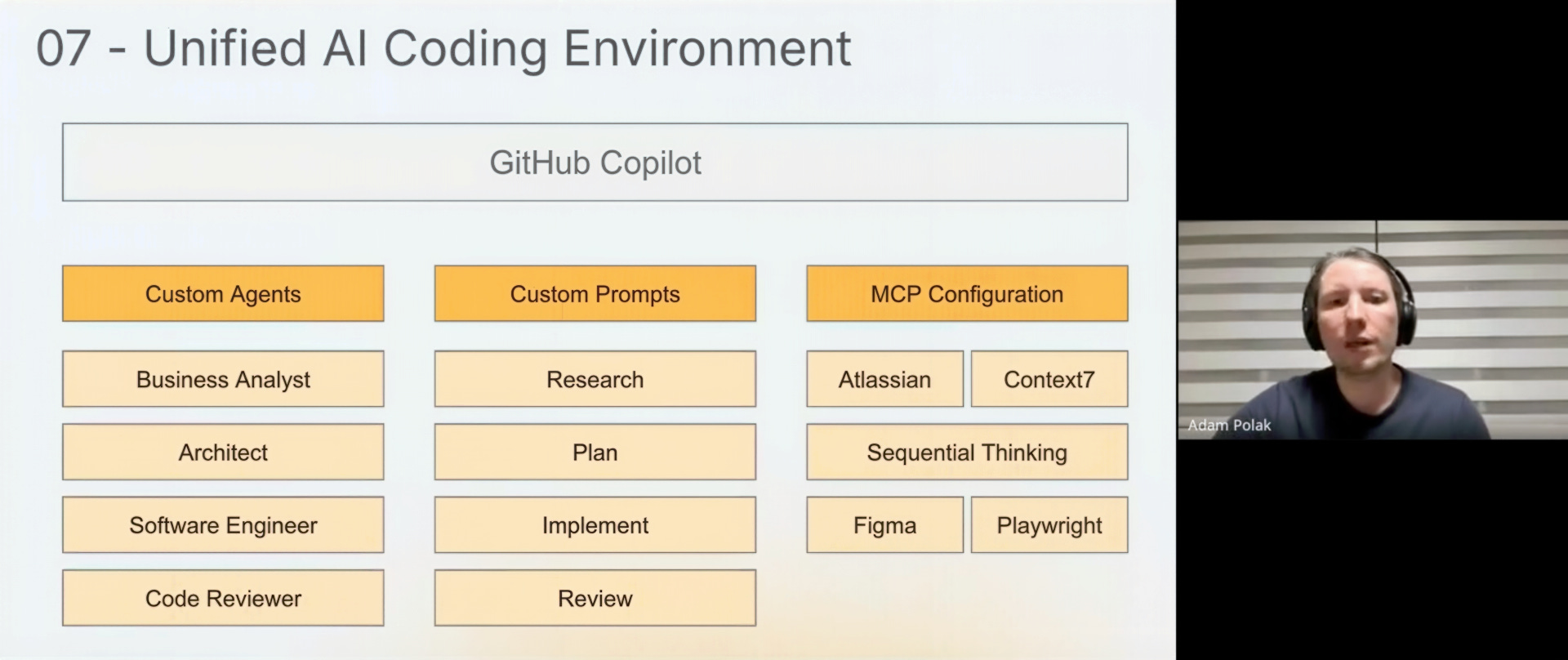
Github Copilot instructions / spaces,
Cursor rules,
Claude’s Agent Skills.
At level 4, you can create digital versions of your best architects that assist in generating code.
This is an advanced solution that requires you to assemble a wide understanding of an architect’s skill set and approach, documenting, and mapping to create an AI agent.
3. Help developers grow their AI skills
Removes blocker 3: lack of training and knowledge sharing.
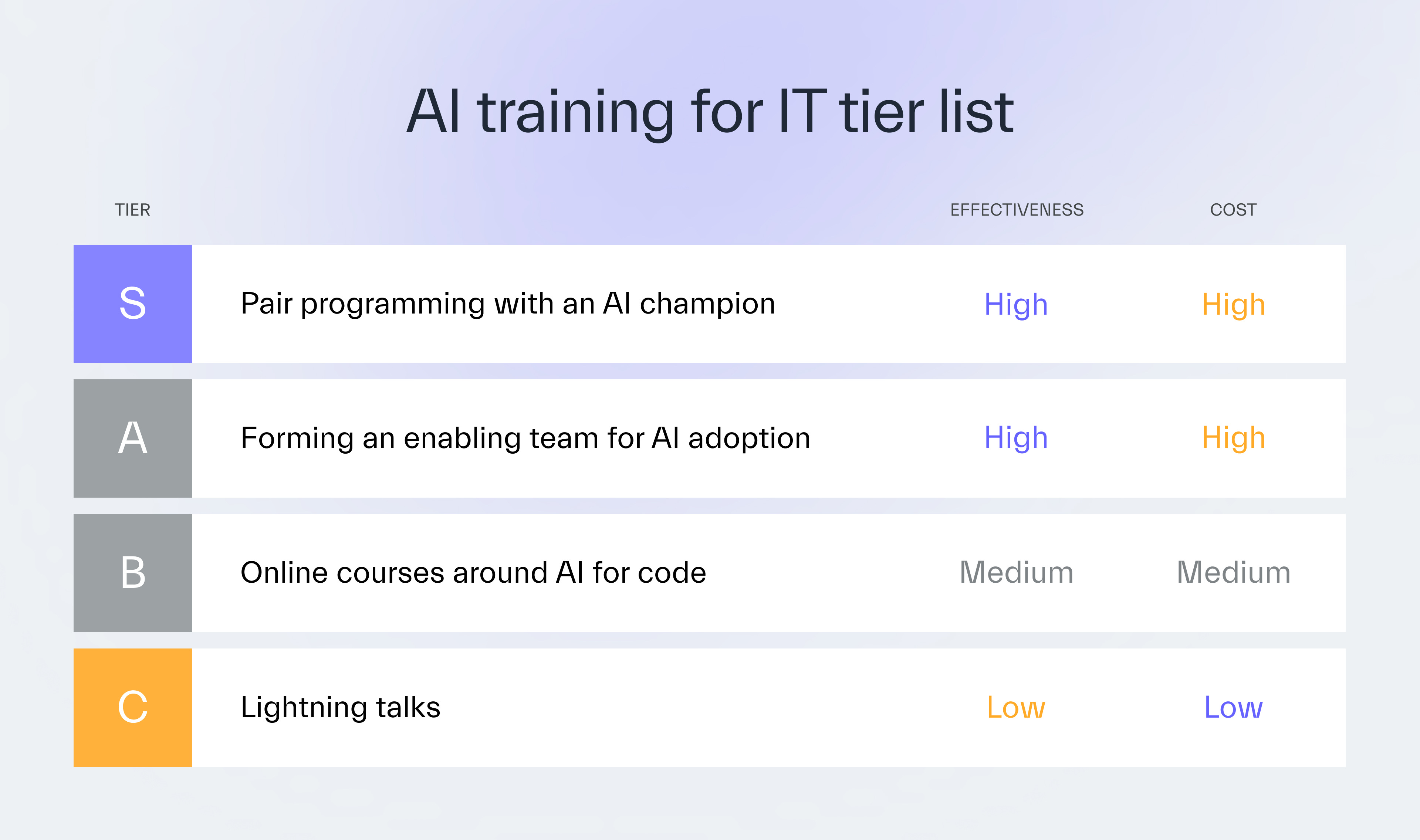
Lightning sessions were the most efficient AI upskilling method we’ve introduced.
These are 45-minute video presentations we hold every 2 weeks.
I encourage our engineering champions to share whatever they have learned with all of our company.
Lightning talks should serve as a necessary introduction to AI-first development.
Access to self-learning courses for developers is a good next step.
However, for most mixed-experience feature teams, forming a 1-2 people enabling team is what brings lasting change.
Choose your strongest AI adopter,
Offer them time and resources to upskill other engineers,
Ask them to focus on code reviews and pair programming.
4. Support your AI expert
Removes blocker 4: no champions to drive adoption.
Verify which engineer uses the most AI tokens.
They’re potentially your champion who can standardize AI prompts to increase the team’s velocity.
If none of the engineers cuts it (which would be an anomaly):
find one externally,
hire a consultant,
educate the most curious teammate.
5. Standardize AI coding tools
Removes blocker 5: no standardization of tools and practices.
Limit your choice of AI coding tools to just a few so that:
your engineers can master them over time,
there’s still some flexibility in choosing the best AI for a project.
We use GitHub Copilot or Cursor, and each project uses only one.
We initially used a lot of tools, which made it hard for developers to master any of them.
We established an enabling team to find the most promising AI tech that could boost delivery.
Our model recommendations evolved from Sonnet 3.7, to Sonnet 4.5, to Opus 4.5 based on systematic comparisons.
6. Introduce spec-driven development
Removes blocker 6: No AI-first development workflows.
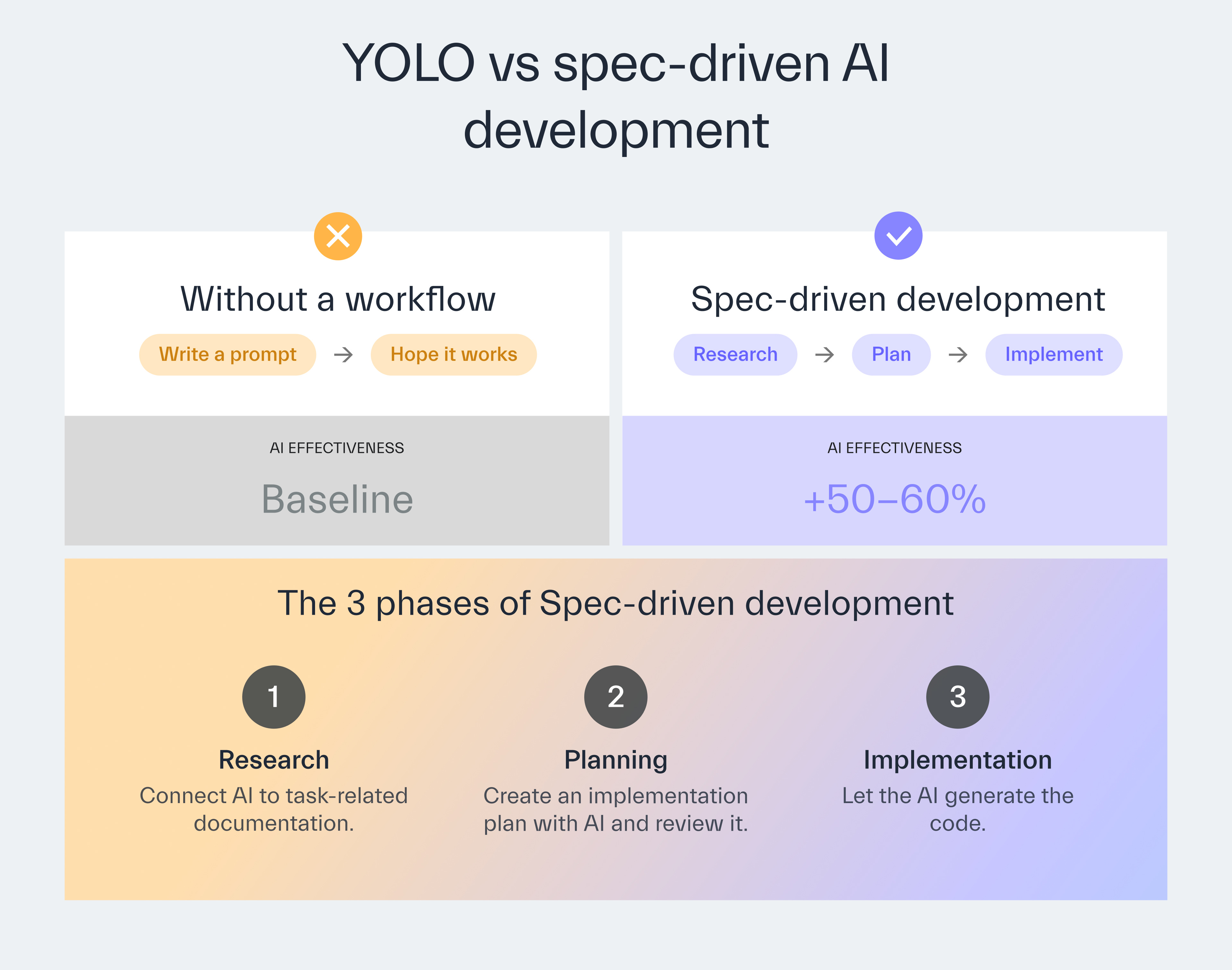
Spec-driven development (SDD) is an approach to AI-assisted coding that maximizes the generated code’s quality.
I’d recommend it for creating workflows for jobs such as building new UI components or APIs.
We use SDD ourselves, of course.
To design an AI workflow with SDD at your organization, use a 3-phased approach for AI work.
Research
Connect AI to Jira, the codebase, and project documentation so that the bot can create better responses and code.
Planning
Ask AI to suggest the most optimal solution for implementation to review its logic.
Implementation
Once you greenlight the plan, order it to proceed with code generation.
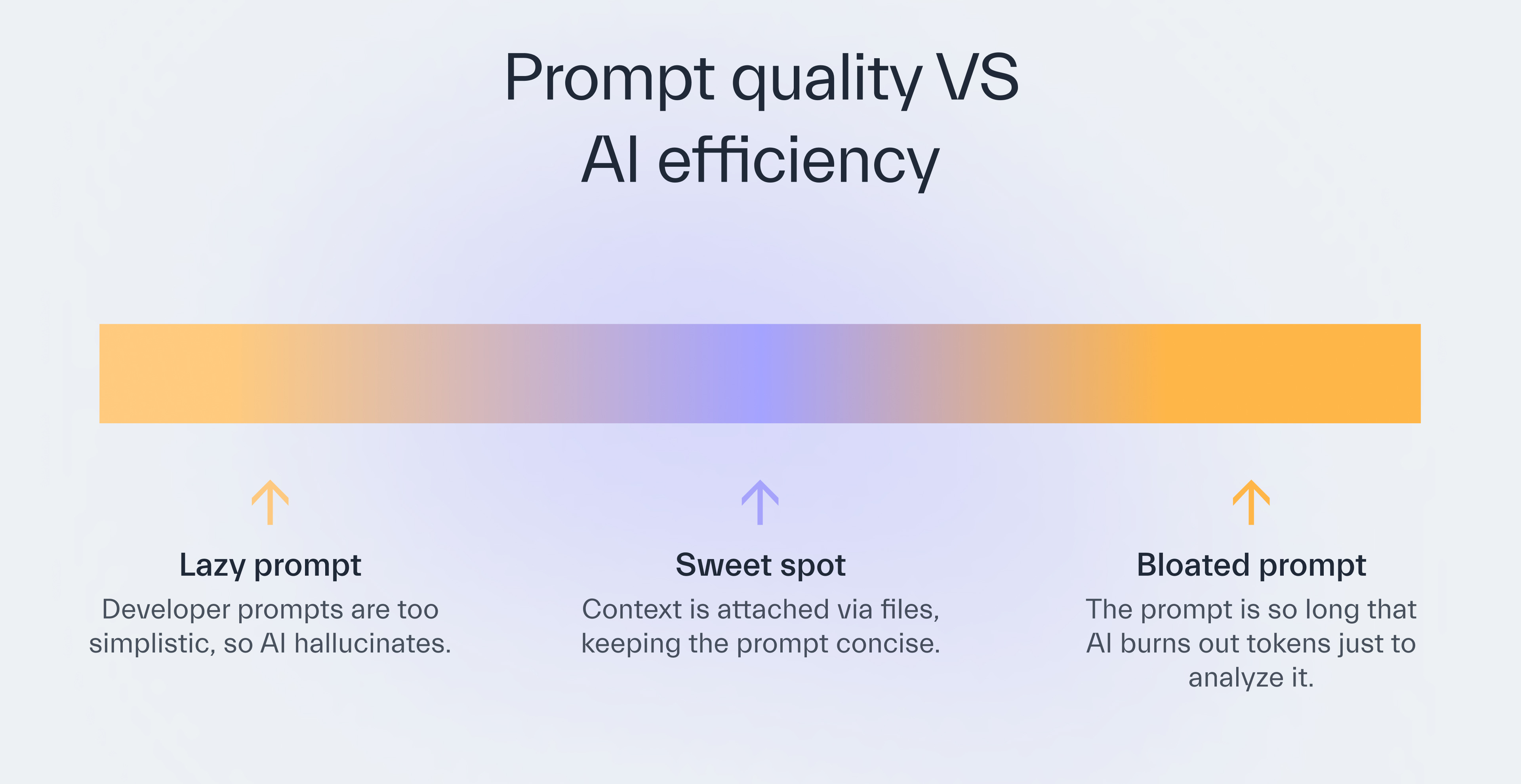
How you load the project’s context into AI matters.
One of our feature teams used a 3,000-line instruction file to provide more context for an AI agent.
AI struggled to scan the file, so it kept looping and eating up tokens.
Without standardized prompts for the IT team, Managers shouldn’t hope to see a productivity boost.
7. Accept slow and steady progress
Removes blocker 7: unrealistic expectations about automation.
Too many people believe AI for code is like a plug-and-play tool that immediately pushes out near-perfect code.
That’s why IT managers and stakeholders avoid launching a months-long AI training program.
Even some of our respectable developers can’t grasp why Copilot can return vibe code.
AI was never meant to be perfect.
And using it well requires:
building agents pre-loaded with documentation,
creating unified prompts for the entire feature team,
upskilling IT through one or many AI champions.
Like with any other technology, success comes in small steps.
We set up a Figma-to-code workflow that translated designs into ready-to-use code.
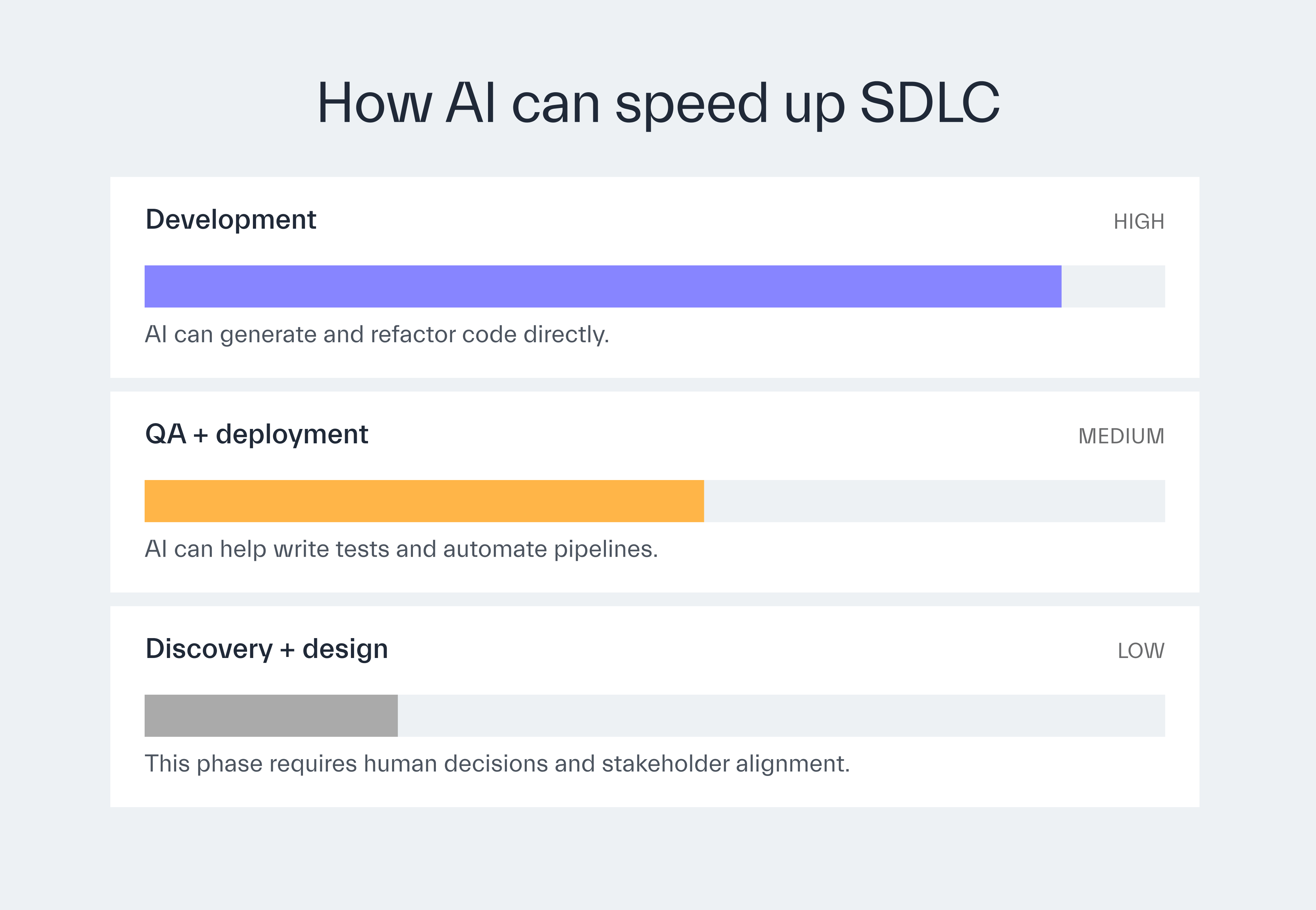
The overall development time dropped significantly.
Still, Designers were disappointed they had to build UIs differently for the workflow to work.
Remind your developers that AI for code can’t automate their work fully, so they shouldn’t give up on it.
Highlight the small productivity gains the team reaches thanks to AI tools.
Over time, people will feel empowered to raise their work efficiency.
Measuring success
See if IT is moving through the 4 adoption levels by:
measuring the team’s baseline productivity with:
Lead time
Cycle time
Deployment frequency
Production bugs
monitoring AI token use vs subscription limit per team or person,
reviewing the change in cycle time and velocity post-implementation.

Help IT Reach 30% Faster Delivery With AI
Connect engineers with me, Adam, and my crew for 30 days. See improved lead time.

Next time
I’m happy to announce my pal as our next issue’s author.
Marcin Basiakowski, our Deputy Head of Development, will philosophize the usefulness of Engineering Managers (uh-oh).
You’ll learn when a team can act like a bunch of unguided preppers, and when an EM can guide them across the roadmap with Swiss precision.
Thanks for reading today ✌️

Published with a smirk by The Software House
Twarda 18, Warsaw, Poland
tsh.io →
 | A guest post by
|